

Selling custom phone cases online means your customers in the United States or Canada make decisions entirely from your product photos. That creates a challenge for freelance sellers looking to stand out in crowded marketplaces. Using photorealistic mockups bridges the gap between your creative vision and what buyers see, offering a lifelike preview of your design on an actual device. Learn how the right mockups can validate your ideas, create stunning visuals, and increase both buyer trust and sales.
Table of Contents
- Defining Product Mockups and Purpose
- Types of Product Mockups for Online Sellers
- Key Features That Enhance Visual Impact
- Practical Uses in Branding and Sales
- Comparing Mockups to Photography and Alternatives
- Common Mistakes and How to Avoid Them
Key Takeaways
| Point | Details |
|---|---|
| Importance of Mockups | Mockups provide realistic visual representations of products, helping customers make informed purchasing decisions. |
| Types of Mockups | Choosing the right mockup type—static, animated, or device-specific—can enhance marketing effectiveness and streamline production. |
| Key Features for Impact | High resolution, accurate colors, and varied angles improve the perceived value and credibility of products. |
| Best Practices | Consistent branding and regular updates to mockups maintain professionalism and customer trust. |
Defining Product Mockups and Purpose
A product mockup is a detailed visual representation that shows exactly how your phone case design will look when printed and in customers’ hands. Unlike rough sketches or digital artwork, a mockup combines your custom design with photorealistic imagery of an actual phone case, creating what appears to be a finished product photograph. This is the bridge between your creative vision and what buyers see on your e-commerce listing.
The core purpose of mockups goes beyond just looking professional. When you’re selling custom phone cases online, potential customers can’t hold the product before purchasing. They’re making decisions based entirely on what they see in your product images. A mockup solves this by presenting your design realistically, showing how colors appear on the actual case material, how your graphics align with the phone edges, and whether your design maintains its visual impact at various angles. This clarity is what converts browsers into buyers.
For freelance e-commerce entrepreneurs specifically, mockups serve several critical functions:
- Design validation before production. You catch alignment issues, color problems, or layout concerns while they’re still easy to fix, saving you from expensive reprinting mistakes.
- Marketing asset creation. A single mockup template generates images for your website, social media, email campaigns, and paid advertising without needing multiple product photography shoots.
- Competitive advantage. While competitors might use flat design mockups or poorly lit product photos, your photorealistic mockups present your cases as premium products worth the price you’re asking.
- Communication with manufacturers. Mockups show print vendors exactly what you want, reducing misunderstandings and revisions that eat into your profit margins.
- Faster iteration cycles. Testing different design variations takes hours instead of weeks when you use mockups, meaning you can respond to market trends quickly.
The difference between a mockup and a prototype matters here. Mockups focus on visual details and appearance while staying static and easy to modify. You’re not building a working model or testing functionality, just showing what the final design will actually look like. This keeps your production timeline lean and your costs manageable. For someone operating on tight margins, this efficiency directly impacts profitability.
What makes mockups specifically valuable for custom phone cases is the complexity of the product itself. You’re working with curved surfaces, multiple material textures, lighting reflections, and precise placement requirements. A mockup captures all of this. When a customer sees your mockup, they understand exactly how your design wraps around the phone corners, how it feels dimensionally, and whether it maintains readability or visual balance across the case surfaces.
Pro tip: Create mockups for multiple phone models (iPhone, Samsung, Google Pixel) from a single design file using templates that accept layer-based customization, allowing you to expand your product catalog without redesigning from scratch each time.
Types of Product Mockups for Online Sellers
Not all mockups serve the same purpose, and understanding which type works best for your situation saves time and money. The mockup landscape divides into several distinct categories, each designed for different stages of your business workflow. When you’re selling custom phone cases, you need to know which mockup type delivers the results you’re after, whether that’s quick design validation or professional marketing imagery.
Low-fidelity versus high-fidelity mockups represent the fundamental divide in the mockup world. Low-fidelity mockups prioritize speed and simplicity, showing basic layout, structure, and design placement without detailed visual refinement. These work when you’re in early brainstorming mode, testing whether a logo placement makes sense or if your color scheme has the right balance. High-fidelity mockups, by contrast, capture nearly everything the finished product will look like, including material texture, lighting, shadows, and exact color representation. For e-commerce listings, high-fidelity is what you need. Customers expect to see photorealistic images, and low-fidelity mockups look amateurish alongside competitor listings.
Beyond that spectrum, mockups break down into several practical categories for online sellers:
Static mockups display your design in a single, fixed view. This is the standard product image on your e-commerce store. You can show the case from the front, back, or at an angle, but the image doesn’t move or change. Static mockups are fast to generate and work perfectly for primary product photos. High-fidelity mockups provide detailed visuals that make customers feel confident about their purchase decision.

Interactive and animated mockups take your presentation further by showing the product in action. An animated mockup might rotate the phone case 360 degrees, showing how your design wraps around all sides. It could display different color variations without requiring separate photographs. Some mockups animate the phone screen lighting up to show context. These work exceptionally well for social media, product demonstrations, or email marketing campaigns where movement catches attention and engages viewers more effectively than static images.
2D versus 3D mockups refers to the rendering style. 2D mockups use flat graphics and illustrations, often appearing more stylized or artistic. 3D mockups render the phone case as a three-dimensional object with depth, realistic proportions, and photographic quality. For custom phone case businesses, 3D mockups align with customer expectations because they show the actual product form. 2D mockups might work for stylized branding or minimalist designs, but 3D captures the tactile quality that makes someone want to order.
Device-specific mockups focus on the hardware your case fits. You need iPhone mockups if you’re targeting Apple users, Samsung mockups for Android customers, and possibly Google Pixel mockups depending on your market. Each device has different dimensions, camera placements, and button positions. A design that looks balanced on an iPhone 15 might not work on a Samsung Galaxy because the curves and proportions differ. This is why phone case mockup generator tools streamline production by allowing you to apply the same design across multiple device types.
Template-based mockups come pre-built with realistic backgrounds and lighting. You drop your design into a smart object layer, and the mockup automatically adjusts the perspective and placement. Template-based mockups are faster than building from scratch and maintain consistency across your product catalog. PSD templates and Canva templates fall into this category, making them accessible whether you use professional design software or prefer simpler tools.
Use-case mockups show the product in real-world situations. Someone holding the phone case, the case sitting on a desk next to other items, or the case protecting a phone during actual use. These build emotional connection because customers visualize owning and using your product. Use-case mockups work best in lifestyle photography or social media content rather than primary e-commerce listings, where you want clean, focused product shots.
The key is matching the mockup type to your specific need. When launching a new design, create a high-fidelity static mockup first for your main product listing. Use animated mockups for your social media channels where movement stands out. Generate device-specific versions so customers see the exact fit for their phone model. This layered approach covers all the bases without overwhelming your workflow.
Pro tip: Purchase template-based mockups that support batch processing, allowing you to update all 12 mockup variations of a design simultaneously when you make refinements, rather than editing each one individually.
Key Features That Enhance Visual Impact
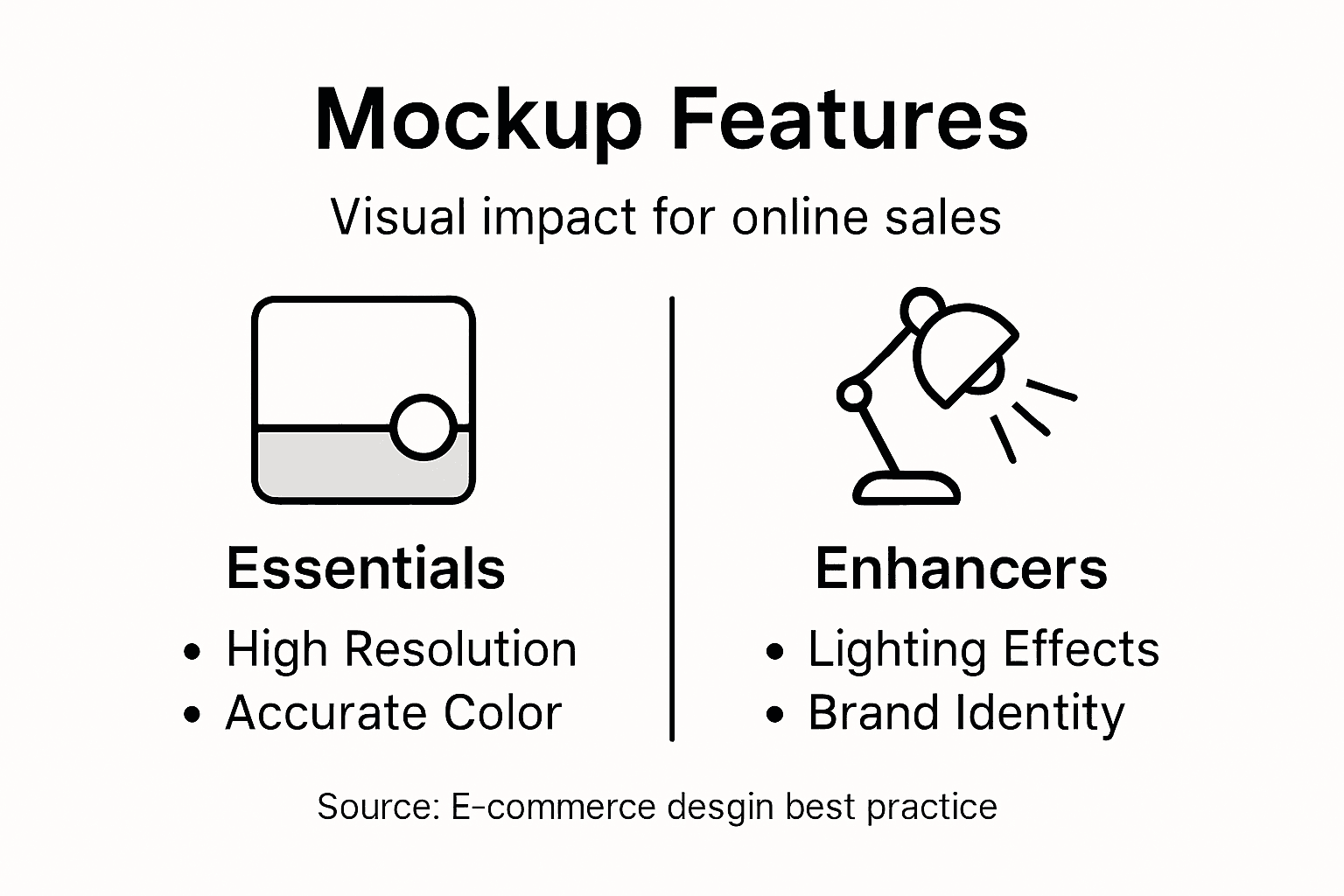
Your mockup is only as effective as the details within it. The difference between a mockup that gets scrolled past and one that stops customers cold comes down to specific visual features that create credibility and emotional resonance. When someone lands on your product listing, they decide whether to engage in milliseconds. The features in your mockup determine whether they see a premium product worth buying or another generic case among thousands.
Resolution and texture quality form the foundation. A mockup built from low-resolution images looks pixelated and cheap, immediately damaging your brand perception. When you zoom in on your product listing, customers expect crisp, clear imagery that shows fine details of your design. The texture of the case material matters too. Does your mockup show the matte finish you’re actually using, or does it look plasticky and unrealistic? A silicone case should feel different visually from a hard polycarbonate case. Potential buyers who notice these textures believe they understand what they’re purchasing, which reduces purchase hesitation and refund requests.
Accurate color representation prevents the most expensive customer disappointment. If your mockup shows a design in vibrant blue but the printed version comes out as muted teal, you get returns and negative reviews. The challenge is that colors appear differently across devices, lighting conditions, and screen calibrations. Professional mockups account for this by using color profiles and realistic lighting that approximates what customers see under normal conditions. When your mockup color matches the actual product, customers feel confident in their decision.
The visual drama comes from shadows, highlights, and lighting effects. These aren’t decorative. A mockup with flat lighting looks two-dimensional and unconvincing. Professional mockups incorporate realistic shadows that show depth, highlights that reflect off the case surface, and lighting angles that create dimension. A case with proper lighting looks three-dimensional and tactile. You can almost feel the material. This psychological effect drives conversions because detailed visual elements with shadows and highlights make mockups lifelike, causing customers to visualize themselves holding and using the product. That visualization translates to sales.
Perspective and angle variety addresses a key customer concern. Can they see how their design wraps around the edges? Does it show the back of the case where their customization appears? A single front-facing mockup leaves questions unanswered. Including mockups from multiple angles, especially showing the sides and back, demonstrates that your design looks intentional from all viewpoints. This removes doubt. Some customers specifically want to know how the case looks when held, which is why use-case mockups showing hands holding the phone add significant credibility.
Contextual backgrounds matter more than many sellers realize. A case photographed against pure white feels sterile. A case shown on a desk with a laptop, coffee mug, and notebook tells a lifestyle story. The background can reference usage scenarios that make the customer imagine owning your product. High-resolution contextual backgrounds that reflect usage scenarios help customers grasp design intent and create compelling presentations that support their purchasing decisions. For phone cases, backgrounds showing the case protecting an actual phone during daily activities build emotional connection more effectively than isolated product shots.
Customization and scalability features allow you to adapt your mockups to match your branding. The ability to swap colors, adjust designs, or modify backgrounds without rebuilding the entire mockup saves enormous time. If you sell the same design in five colors, you should be able to generate five variations in minutes, not hours. This flexibility means you can respond quickly when you spot a trending design variation or need to test a new color palette with your audience.
Brand identity markers strengthen recognition. Your logo, brand colors, or signature design elements should be visible and prominent. When customers see your distinct branding across all mockups, they begin recognizing your products among competitors. Consistency in how you present your cases, including the background style, mockup angle, and branding placement, builds brand familiarity that increases repeat purchases.
Pro tip: Select mockup templates that allow non-destructive editing using smart object layers, so you can swap designs endlessly without degrading image quality or waiting for re-rendering.
Use this reference to understand key mockup features and their benefits:
| Feature | Why It Matters | Business Impact |
|---|---|---|
| High Resolution & Texture | Ensures clear, realistic detail | Boosts perceived product value |
| Accurate Color Representation | Matches buyer expectation | Reduces returns, builds trust |
| Angle & Perspective Variety | Shows all sides of design | Fewer buyer questions, more sales |
| Contextual/Lifestyle Background | Places product in real settings | Inspires emotional connection |
| Easy Customization | Quick color/design changes | Faster trend response |
| Brand Elements Incorporated | Consistent visual identity | Increases brand recognition |
Practical Uses in Branding and Sales
Mockups transform from design tools into business accelerators when you understand how to deploy them strategically. For freelance e-commerce entrepreneurs running on tight budgets, mockups solve a fundamental problem: you need professional product imagery without the expense of photography shoots, professional photographers, or physical inventory sitting in storage. This isn’t just convenience. It directly impacts your bottom line because you can test, iterate, and scale faster than competitors who rely on traditional product photography.
Driving sales conversions is the most immediate benefit. Your product listing has seconds to convince someone to click add to cart. Quality mockups accomplish what mediocre images cannot. When customers see quality visual content that entices them and builds trust, they perceive your phone cases as premium products. This perception allows you to maintain higher prices while reducing refund rates because customers ordered exactly what they expected. The psychological shift from generic to premium costs nothing extra but returns substantial profit increases. You’re not competing on price anymore; you’re competing on presentation.
Beyond the primary listing image, mockups enable A/B testing at zero additional cost. Create five different design variations and photograph them all using the same mockup template. Run each design to different audience segments for a week and track which drives higher click-through rates and conversions. Traditional product photography would cost hundreds of dollars per variation. With mockups, testing five designs costs almost nothing beyond the initial template purchase. This data informs your inventory decisions. You know which designs resonate before committing manufacturing resources to designs that won’t sell.
Marketing and advertising campaigns become dramatically more powerful with mockup diversity. Social media platforms favor visual content, and mockups allow you to create dozens of variations for different platforms and audiences. An Instagram post showing the case at an angle performs differently than a Facebook ad showing the case in someone’s pocket. Email campaigns benefit from multiple design angles showcasing the product. Pinterest requires vertical format images, which mockups generate instantly without reshooting. You’re building an extensive library of marketing assets from one design template, multiplying your content output without multiplying your costs.
Mockups support brand storytelling consistency. Every image you release represents your brand. When all your mockups share the same style, background aesthetic, and presentation angle, customers begin recognizing your brand instantly. This consistency builds trust. It signals professionalism. It makes your products memorable. A customer scrolling through competitor listings stops on yours because they visually recognize your approach. This brand recognition converts casual browsers into loyal repeat customers who return specifically for your designs.
Rapid iteration and market responsiveness give you competitive advantage. You spot a trending design style or color palette on social media. With mockups, you can design and photograph a new variation within hours. A competitor using traditional photography takes weeks to execute the same idea. By the time they launch, your version is already accumulating sales data and customer feedback. This speed compounds. Over a quarter, you test 50 designs while competitors test 10. Your data becomes richer, your decisions more informed, and your sales more predictable.
Collaboration and stakeholder communication improve dramatically. If you work with manufacturers, your mockup shows them exactly what you want produced. If you have business partners or are pitching to potential investors, mockups demonstrate professionalism and thoughtfulness. The clarity reduces misunderstandings that lead to expensive production errors. Internal decision making accelerates too. You and a collaborator can agree on a design direction by examining mockups rather than debating abstract descriptions.
Mockups also support inventory and manufacturing efficiency. Instead of manufacturing 500 units of a design you hope sells, you can validate demand through presales using mockups. Customers see the design, place orders, and you manufacture to actual demand. This approach reduces excess inventory and eliminates wasted capital on slow-moving designs. Your cash flow improves because money flows in before manufacturing costs flow out.
Pro tip: Create a mockup library by storing all your template variations organized by device type and angle, then batch update entire collections when you refine your standard background or lighting setup, ensuring brand consistency across your entire catalog.
Comparing Mockups to Photography and Alternatives
The choice between mockups and traditional product photography isn’t about which is superior. It’s about which tool solves your specific problem at your current stage. Understanding the strengths and limitations of each approach helps you make smarter decisions about where to invest your limited budget as a freelance e-commerce entrepreneur.
Product photography excels at capturing tangible reality. When you photograph an actual phone case under professional lighting with a quality camera, customers see genuine product details, real material texture, and authentic color representation. Photography builds maximum trust because it shows the product exactly as it exists. The downside is cost and complexity. Professional product photography requires purchasing inventory before you even know if designs will sell, hiring or paying photographers, finding studio space or locations, and waiting for scheduling. A single product photography session might cost $500 to $2,000 depending on your location and photographer quality. If you want to photograph the same design in five different colors, you multiply those costs. Photography also moves slowly. Changes take weeks, not hours.
Mockups sacrifice some tangible reality for speed and flexibility. A mockup can’t capture every micro-detail the way photography does, but it captures enough for customers to make confident purchase decisions. The massive advantage is cost. A quality mockup template costs $10 to $50 one time, then generates unlimited variations. You can test five different designs in an afternoon. You can photograph a design in four phone models by lunch. When you want to show the case in different colors, you adjust a color layer and save a new file. This flexibility means you can respond to market trends, test customer preferences, and iterate rapidly without financial penalty.
For freelancers specifically, mockups are more flexible and cost-effective than photography, especially when physical samples are unavailable. You don’t need inventory sitting in a warehouse or spending money manufacturing units you haven’t validated with customers. This is critical when you’re bootstrapping your business. You can presell designs using mockups, collect payment from customers, and manufacture based on actual demand. Your cash flow improves dramatically.
Hybrid approaches work well too. Many successful sellers use mockups for early product testing and design variations, then invest in professional photography once a design proves profitable. This staged investment approach minimizes risk. You validate demand cheaply with mockups, manufacture units with confidence, then photograph the actual product for hero images and lifestyle shots. Your homepage might feature real photography while your bulk product catalog uses mockups for efficiency.
Here’s a concise summary comparing mockups, photography, and alternatives for phone case sellers:
| Approach | Cost Efficiency | Flexibility & Speed | Visual Realism |
|---|---|---|---|
| Mockups | Very high, low-cost | Edit and test in minutes | High, not perfect |
| Product Photography | High, expensive | Requires physical inventory | Maximum, very accurate |
| AI-generated Images | Low, unpredictable | Fast but inconsistent | Variable, often lower |
| Stock Photos | Moderate, fixed fee | Instant, but not custom | Generic, not unique |
| Prototypes | Low, costly | Slow to produce | Accurate, tactile |
| Wireframes | Not applicable | Quick for structure only | Not usable for sales |
Alternatives to Mockups
Wireframes focus on structure and layout rather than visual polish. They show where elements go but not how they look. Wireframes work for software design and website layout but offer little value for physical product sales. Customers can’t visualize buying a phone case from a wireframe.
Prototypes emphasize testing functionality and usability. A prototype phone case tests grip, durability, button access, and material performance. These cost money to create and take weeks to produce. Prototypes suit manufacturing companies validating product concepts but don’t serve e-commerce sellers who need visual marketing assets quickly.
AI-generated images represent an emerging alternative, but quality remains inconsistent and unpredictable. AI struggles with consistent branding, precise detail placement, and maintaining accuracy across product variants. Current AI generation also raises questions about intellectual property and customer trust. Mockups remain superior for professional e-commerce use.
Stock photos show products in lifestyle settings but typically feature generic products, not your specific customizations. A stock photo of someone holding a phone case tells you nothing about your unique design. Stock photos also create trademark and ethical issues if you use images showing brand logos or trademarked designs.
Mockups allow sellers to showcase products in idealized settings without costly photo shoots, making them the practical choice for sellers with limited budgets and tight timelines. Speed matters in e-commerce. The competitor who tests designs fastest and validates fastest wins market share. Mockups give you that speed advantage. They’re not meant to replace photography forever, but they accelerate your growth phase when you need to move quickly and prove concepts work before investing heavily in photography and manufacturing.
The smartest approach recognizes that these tools serve different purposes at different times. Start with mockups to validate designs and test demand. Graduate to professional photography once you’ve proven which designs sell consistently. Use both simultaneously as your business scales. This staged, strategic approach maximizes your return on investment and minimizes risk during your critical early growth phase.
Pro tip: Start your product business with mockups to test five to ten design variations and gauge customer response, then invest in professional photography only for your top three best-sellers that prove consistent demand over a full sales cycle.
Common Mistakes and How to Avoid Them
Mockups are powerful tools, but mistakes in how you use them directly damage your sales and customer satisfaction. Many freelance e-commerce entrepreneurs make the same errors repeatedly because nobody warned them about the pitfalls. Learning what goes wrong before it costs you money saves your business time and profit margin.
Using unrealistic visuals that set false expectations tops the mistake list. You create a stunning mockup showing your phone case with perfect lighting, flawless finish, and ideal color saturation. A customer receives the actual product and feels disappointed because reality doesn’t match the mockup. This leads to returns, negative reviews, and wasted manufacturing costs. The fix is straightforward: your mockup should represent what customers actually receive, not an idealized fantasy version. When you adjust colors in your mockup, test them against actual printed samples. If your manufacturer prints in a slightly different shade, update your mockup to match reality. This prevents the expectation gap that kills customer satisfaction. Over-reliance on unrealistic visuals sets inaccurate expectations that damage trust. Your mockup is a promise. Keep that promise.
Poor quality or badly scaled mockups undermine your brand perception instantly. A mockup with pixelated edges, blurry details, or distorted proportions signals amateurism. Customers assume if your mockup looks cheap, your product is cheap. Even worse, a poorly scaled mockup might show your design stretched across the case incorrectly, giving customers false information about placement and sizing. When you purchase templates, select high-resolution options that maintain quality at full zoom. Test your designs in multiple sizes to ensure they look crisp in thumbnail views and at full resolution on product pages. Maintaining high visual fidelity prevents mockups from undermining their effectiveness. If a template doesn’t produce sharp, professional-looking results, replace it. Your brand reputation depends on it.
Ignoring brand consistency across mockups fragments your visual identity. You create mockups with different backgrounds, lighting styles, angles, and color palettes. Customers see inconsistency and begin questioning whether these products actually come from the same seller. Consistency builds brand recognition and trust. Every mockup should follow the same style guide. Same background aesthetic, same lighting approach, same angle defaults. This consistency compounds over time. After 50 products, customers recognize your brand instantly by the presentation style alone. They trust it because it feels intentional and professional. Document your mockup standards in a simple style guide. What angle do you default to? What background? What lighting? What color correction? Follow this consistently across all products.
Failing to update mockups when designs change creates confusion and frustration. You refine a design based on customer feedback. The updated design prints perfectly. But you forget to update the mockup on your listing, so customers order expecting the old version. They receive the new version and feel misled, even though the new version is actually better. This sounds preventable because it is. Treat mockup updates as part of your design workflow. When you finalize a design change, update the mockup immediately. Build this into your process the same way you’d verify spelling or check alignment.
Confusing mockups with prototypes or finished products causes communication breakdowns. If you send a mockup to a manufacturer saying this is what you want, they might interpret it as a final specification. They manufacture based on the mockup and miss critical details you assumed were obvious. You receive products that don’t match expectations. Clarify upfront that your mockup is a visual reference, not a technical specification. Provide separate technical files with measurements, material specifications, and printing requirements. Use mockups for stakeholder communication and customer marketing. Use technical specifications for manufacturing. These serve different purposes.
Neglecting to gather stakeholder feedback on mockups before finalizing designs means catching mistakes too late. If you’re partnering with designers, manufacturers, or business partners, get their input on mockups before committing to production. Using mockups as collaborative tools for feedback prevents costly errors. One team member might spot a placement issue you missed. A manufacturer might identify a printing limitation you didn’t know existed. This collaborative review costs nothing but saves money in production. Build feedback into your workflow. Don’t treat mockups as finished deliverables; treat them as conversation starters.
Staying static with old mockups wastes the speed advantage mockups provide. You create mockup templates and then never update them. Design trends shift. Your competitors’ mockups look fresher. Your aesthetic feels dated. Mockups should evolve with your brand. Every six months, review your templates. Update backgrounds if they feel outdated. Adjust lighting if newer trends emphasize different effects. Keep your visual presentation current without completely rebuilding from scratch.
Pro tip: Create a mockup audit checklist covering resolution quality, color accuracy against physical samples, brand consistency, and angle variety, then run through it before uploading any new design to your e-commerce platform to catch issues before customers see them.
Elevate Your Custom Phone Case Sales with Professional Mockups
Struggling to bridge the gap between your creative designs and winning customer confidence? This article highlights how high-fidelity product mockups resolve issues like inaccurate color representation, poor visual detail, and inconsistent branding—all crucial pain points that reduce conversion rates and customer trust. By using photorealistic mockups that showcase your phone cases from every angle with realistic textures and lighting, you empower your customers to visualize and believe in your products before they buy.
Discover how Google Pixel Case Mockups - Slim & Tough Case Mockups – Bettermockups and other expertly crafted templates offer the flexibility to quickly adapt your designs across multiple device types and marketing channels. With Bettermockups, you get access to premium PSD and Canva mockups that are easy to customize, ensuring your visuals match real-world products to avoid disappointment and returns. Don’t risk lost sales with amateurish images. Visit Bettermockups today to start creating stunning product presentations that convert browsers into loyal customers.
Frequently Asked Questions
What are product mockups and why are they important for e-commerce?
Product mockups are visual representations that showcase how a design, such as a phone case, will look when produced. They are important for e-commerce as they help convey the product’s appearance to potential customers, impacting their purchasing decisions.
How do product mockups help in marketing and advertising?
Product mockups create visually appealing images that can be used across various marketing channels like social media, emails, and ads. High-quality mockups attract more attention and enhance the perceived value of your product, driving higher conversion rates.
What is the difference between low-fidelity and high-fidelity mockups?
Low-fidelity mockups prioritize simplicity and speed, providing basic layouts. High-fidelity mockups offer detailed visuals that closely resemble the final product, including colors, textures, and lighting, and are recommended for e-commerce listings.
How can I ensure my mockups accurately represent my products?
To ensure accuracy, use high-resolution images, maintain consistent color representation, and update mockups whenever design changes occur. Additionally, testing mockups against physical samples can help prevent discrepancies between expectations and the actual product.


