

If you sell phone cases through Etsy, TikTok Shop, or Shopify, you already know that static listing images aren't cutting it anymore. Video content drives higher engagement, better click-through rates, and more sales, and Adobe After Effects templates are one of the fastest ways to produce that content without hiring a motion designer. The right template turns a flat product image into something that actually stops a scroll and holds attention.
But not every template is built for product-focused sellers. Most are designed for YouTubers, filmmakers, or corporate presentations, which means you'll spend more time stripping out what you don't need than actually building something useful. That's a problem when you're managing hundreds of listings and every hour counts. At Bettermockups, we build production-accurate video mockup templates specifically for POD phone case sellers, so we understand what makes motion graphics assets actually convert in ecommerce.
This list breaks down five of the best Adobe After Effects templates for motion graphics, covering intros, logo reveals, product showcases, and more. Whether you're creating content for social ads or product listings, these picks will help you produce polished video without starting from a blank composition. We've evaluated each one for ease of customization, visual quality, and practical use in a product-selling context.
1. BetterMockups Video Mockup Templates
BetterMockups leads this list because it solves a problem the other platforms ignore: production accuracy. These aren't generic showcase animations built for any product category. Every template is constructed against real manufacturer specs from Podbase and Casestry, so the edge profiles, camera cutouts, and finish representations in the video actually match the physical case your customer receives.
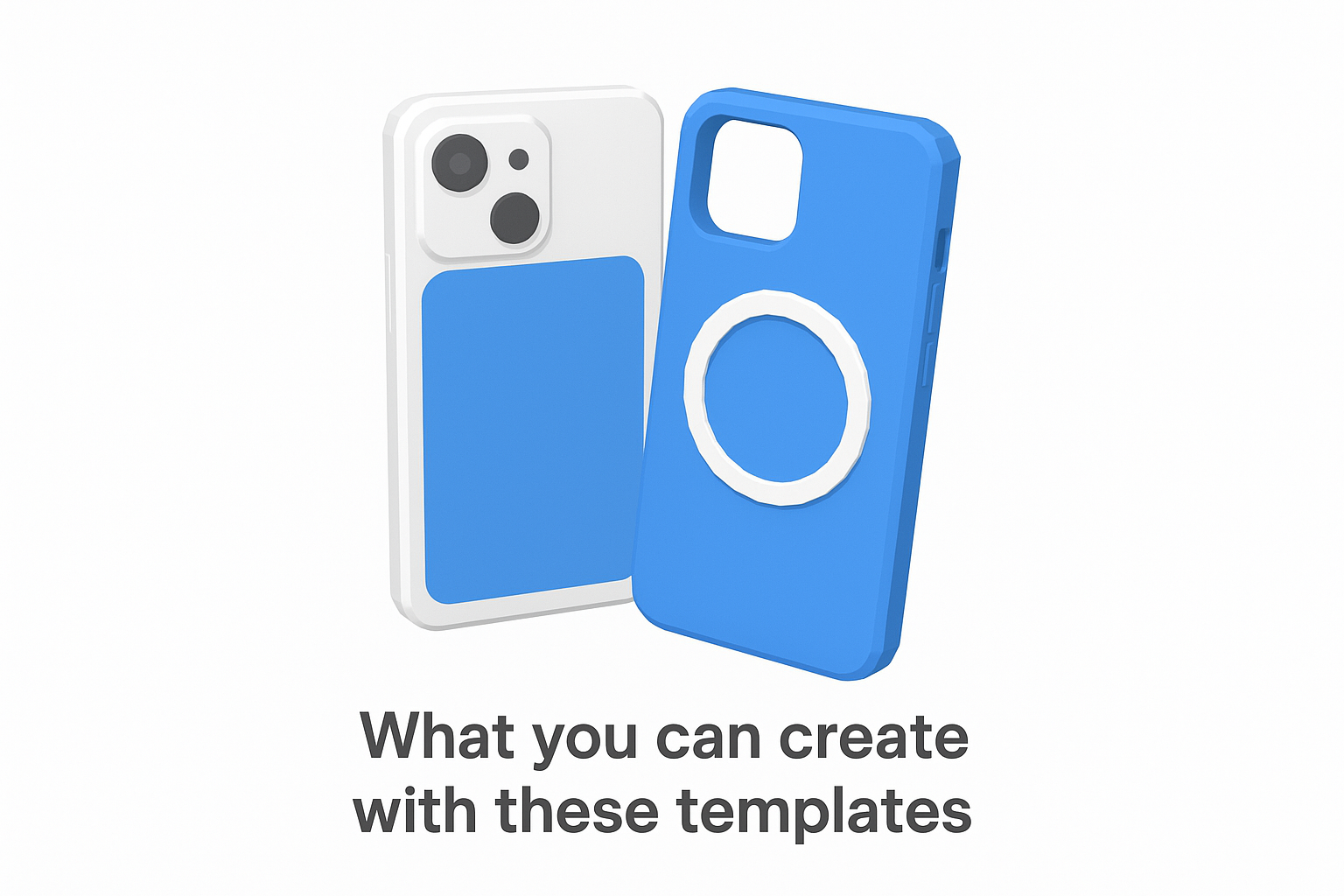
What you can create with these templates
With BetterMockups, you can produce motion video mockups that show your phone case designs on iPhone 16, iPhone 17, and Samsung S25 models in realistic movement. You get options for matte and glossy finishes, MagSafe ring placement, and clear case variations, all presented in video format built specifically for social ads and TikTok Shop listings where motion content consistently outperforms static images.
Best fit use cases for POD sellers and ecommerce brands
These templates are built for sellers running high-volume POD operations on Etsy, Shopify, Amazon, or TikTok Shop. If you're managing 80 to 400+ active listings and need video content that reflects the actual product your customer receives, this is the most direct solution available. Motion mockups built to manufacturer spec close the gap between your listing promise and the delivered product, which directly reduces refunds and "item not as described" reviews.
Video mockups that accurately represent your product turn a five-star review from a relief into an expectation.
How customization works in After Effects
BetterMockups templates use smart object layers compatible with standard After Effects and Photoshop workflows. You drop your design file into the designated layer and the template handles the motion, lighting, and perspective. No advanced motion design background is required, which matters when you're producing content at listing scale rather than building a single hero video.
What to check for accuracy before you publish
Before you export, confirm that the camera cutout position and edge radius in the template match the spec sheet on your fulfillment provider's product page. BetterMockups builds to Podbase and Casestry specs directly, so if you use either provider, the alignment is already handled. For other manufacturers, run a direct side-by-side comparison with the product detail page before publishing.
Pricing and licensing basics
BetterMockups offers volume discount structures including Buy 3 Pay for 2 bundles and percentage-based savings on larger purchases. These adobe after effects templates are licensed for commercial use on your own storefronts, and 24/7 customer support is available if you hit technical issues during setup or export.
2. Envato Elements After Effects Templates
Envato Elements is a subscription-based library that gives you access to thousands of adobe after effects templates alongside fonts, stock footage, and graphic assets. It's a broad platform rather than a specialized one, so template quality is uneven, but the sheer volume makes it worth understanding before you commit.
What you get with the subscription model
A single subscription unlocks unlimited downloads across the entire Envato Elements library. You can pull templates, music, fonts, and stock video all under one payment, which makes it practical if you regularly need multiple asset types across projects.
Template categories that work best for motion graphics
The strongest categories for product-focused work include product promo templates, title animations, and social media story formats. These categories have the highest template density and the most recently updated uploads, so you're less likely to run into outdated compositions.
How to evaluate template quality fast
Sort by Most Downloaded to filter out low-effort uploads quickly. Check the preview video carefully and scan the comment section for any notes on missing plugins or broken links before you spend time downloading.
A template with thousands of downloads and recent user comments is almost always safer than a newer upload with no feedback history.
Licensing rules to understand before you ship client work
The platform uses a registration-based licensing system. You must register each template to a specific project before using it commercially, and unregistered downloads are not covered for client-facing or commercial work.
Pricing approach
Envato Elements charges a flat monthly or annual fee with no per-download costs, so the value improves significantly the more assets you actually use.
3. Motion Array After Effects Templates
Motion Array sits between a specialized tool and a broad library. It offers After Effects project files alongside stock footage, music, and Premiere Pro templates, which makes it useful if you work across multiple video editing platforms.
What stands out in the library and workflow
Motion Array's built-in browser plugin for Premiere Pro and After Effects lets you preview and import templates without leaving your editing session. This cuts the download-and-locate cycle that slows you down when you're working through multiple projects. The template preview quality is consistently high, making it easier to evaluate a file before you commit.
Best template picks for intros, titles, and logo reveals
The intro and logo reveal categories are where Motion Array performs best. These sections are regularly updated and include both minimal and high-energy styles. For product-focused social content, the lower third and title animation categories also offer practical options that work well as overlays on product footage.
Templates with fewer than 10 required plugins are almost always faster to customize and export than complex multi-layer builds.
How to avoid heavy templates that slow renders
Check the required plugins list on every product page before downloading. Templates that list more than two third-party plugins tend to increase render times and create compatibility problems. Stick to files that rely on native After Effects effects whenever you can.
Licensing and usage rights to confirm
All Motion Array templates include commercial use rights under their standard license, but review the terms on each file page to confirm coverage for paid advertising and client-facing work.
Pricing approach
Motion Array offers both a free tier with limited downloads and a paid subscription that unlocks the full adobe after effects templates library, stock assets, and the browser plugin.
4. Adobe Stock After Effects Templates
Adobe Stock sits inside the Adobe ecosystem, which makes it a natural choice if your entire production workflow already runs through Creative Cloud. These adobe after effects templates are maintained and distributed by Adobe directly, so the integration experience is cleaner than third-party platforms.
When Adobe Stock makes the most sense
Adobe Stock is the strongest fit when you need guaranteed Creative Cloud compatibility without hunting down workarounds. If your team runs standardized software versions and you want templates that open without configuration friction, this platform removes most of that risk upfront.
Templates sourced from within Adobe's own ecosystem tend to carry fewer compatibility issues than files distributed through independent marketplaces.
How templates fit into the Adobe workflow
You can browse, license, and place templates directly inside After Effects through the Libraries panel without switching to a browser. The template links directly to your active project, which cuts down on the file management steps that accumulate when you work at volume.
How to verify version compatibility and required plugins
Check the product detail page for the minimum After Effects version and any listed plugin dependencies before licensing. Adobe Stock templates occasionally require older or newer software versions, so confirming compatibility before you pay prevents blocked workflows.
Licensing considerations for commercial projects
Adobe Stock uses a standard commercial license that covers most ad and ecommerce use cases, but review the extended license terms if you plan to redistribute the output or use it in a high-volume ad campaign.
Pricing approach
Adobe Stock offers individual asset purchases and subscription tiers, with template access included in higher Creative Cloud plans depending on your subscription level.
5. VideoHive After Effects Project Files
VideoHive is Envato's pay-per-asset marketplace for motion graphics project files, including a large catalog of adobe after effects templates spanning simple title cards to full broadcast packages. You pay per download rather than subscribing, which changes the cost math for certain workflows.
When pay-per-template beats subscriptions
Pay-per-template works best when you need one or two specific files rather than constant access to a broad library. If your video production volume is low or project-based, a single purchase often costs less than a month of subscription fees.
How to vet authors, files, and update history
Check the author's total sales count and rating before you buy anything. Files from authors with recent update activity and visible comment responses are far less likely to contain broken links or outdated compositions.
An author with 500 or more sales and an active comment record is a reliable purchase signal before you commit money.
Common gotchas with plugins, fonts, and precomps
Read the required plugins list on every product page before purchasing. Missing third-party plugins or unlicensed fonts will block your workflow entirely, and not every required tool is free or readily available.
Licensing tiers and what they allow
VideoHive uses two main license tiers for commercial use:
- Regular License: covers single commercial projects with a single end product
- Extended License: covers broadcast output, unlimited distribution, or high-volume ad campaigns
Typical pricing range
Most individual project files range from $9 to $59, with complex broadcast packages at the upper end. Simple title animations and lower thirds typically fall between $9 and $19.
Final Takeaways
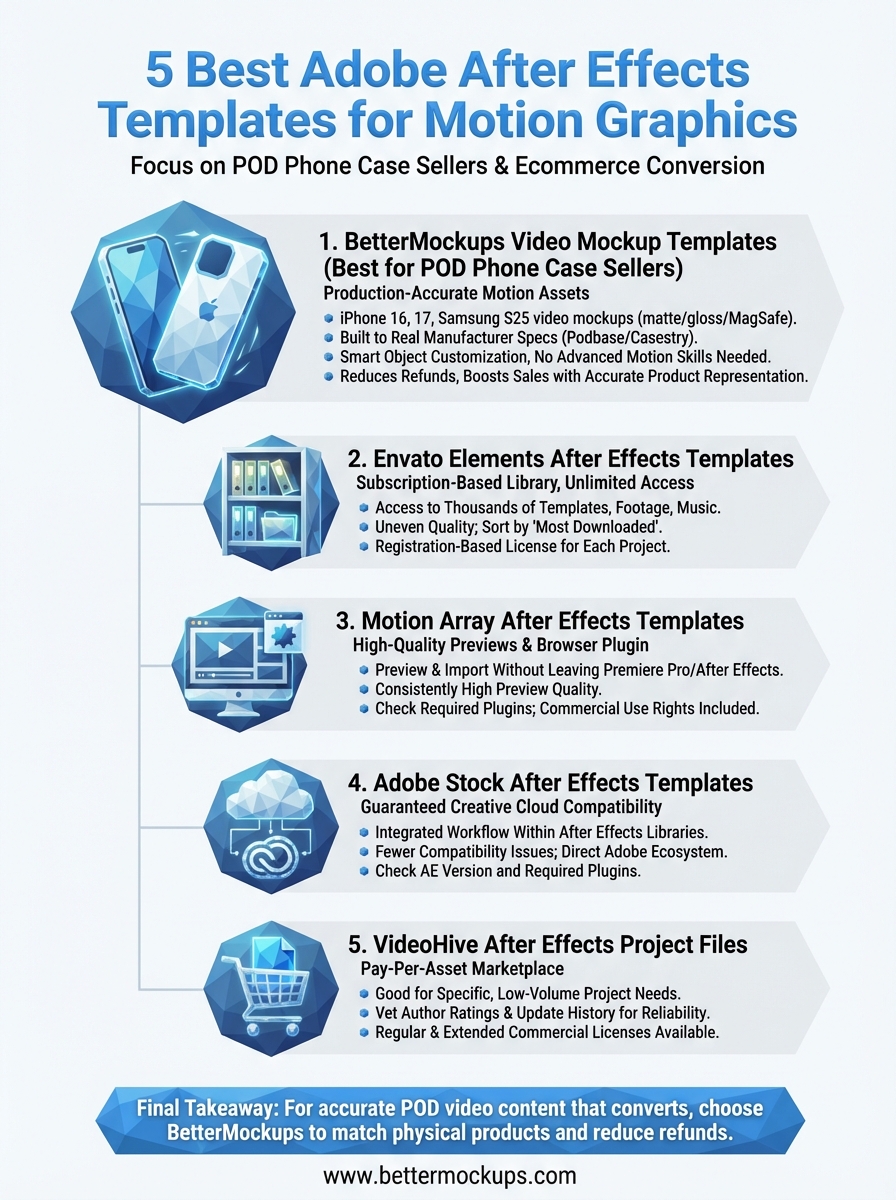
Each platform on this list serves a different type of buyer, and the right choice depends on how often you produce video and what you're selling. Envato Elements and Motion Array reward high-volume users who need constant access to new assets. Adobe Stock fits best when Creative Cloud integration matters more than catalog size. VideoHive makes sense when you need one specific file without a subscription commitment.
For POD phone case sellers, the choice is clearer. Generic adobe after effects templates built for YouTubers and brand agencies won't match the physical product your customer receives. That accuracy gap costs you in refunds and damaged reviews. BetterMockups closes that gap with video mockup templates built to real manufacturer specs, so your listing shows exactly what ships. If you're ready to produce motion content that reflects the actual product, explore BetterMockups video mockup templates and start publishing listings you can stand behind.


