

Choosing the right free mobile cover mockup website can feel overwhelming when hundreds of platforms promise photorealistic visuals but deliver inconsistent quality. Entrepreneurs and digital marketers need mockups that look professional, load quickly, and integrate seamlessly with their sales workflows. This guide breaks down the essential selection criteria and reveals which free platforms actually deliver value for tech accessory brands in 2026, helping you boost product presentations and drive conversions without breaking your budget.
Table of Contents
- How To Choose The Best Free Mobile Cover Mockup Website
- Top Free Websites For Mobile Cover Mockups
- Comparison Of Mockup Quality And Features
- Limitations Of Free Mockup Resources Vs Paid Platforms
- Situational Recommendations For Entrepreneurs
- Summary Comparison And Next Steps
- Explore Premium Mockups To Elevate Your Brand
- Frequently Asked Questions
Key takeaways
| Point | Details |
|---|---|
| Photorealism drives trust | High-quality mockups increase customer confidence and directly impact conversion rates for mobile cover sales. |
| Free platforms vary widely | Customization options, template variety, and editing complexity differ significantly across free mockup websites. |
| Premium features cost extra | Animated mockups, 3D visuals, and dedicated support remain exclusive to paid platforms in most cases. |
| Match tools to skill level | Non-designers benefit from drag-and-drop editors while experienced users prefer advanced PSD customization. |
| Integration saves time | Direct e-commerce connections streamline product listing workflows but rarely appear in free offerings. |
How to choose the best free mobile cover mockup website
Selecting a mockup platform requires evaluating six core criteria that directly impact your marketing effectiveness and workflow efficiency. Photorealism stands as the foundation because customers make purchase decisions based on visual trust. A mockup that looks artificial or poorly lit undermines your brand credibility, while crisp, realistic images increase perceived product value.
Customization flexibility determines how well you can align mockups with your brand identity. Look for platforms offering editable formats like PSD files or integrated Canva templates that let you adjust colors, backgrounds, and design elements without starting from scratch. Template variety matters equally because your product line likely includes multiple phone models. A site with only iPhone 12 mockups won’t serve customers shopping for Samsung Galaxy or Google Pixel cases.
Ease of use becomes critical when you’re managing multiple product listings under tight deadlines. Platforms with intuitive interfaces save hours compared to complex editing tools that require tutorial videos just to change a background color. Integration capabilities with Shopify, Etsy, or social media platforms can automate parts of your workflow, though this feature remains rare in free options.
Customer support availability separates platforms built for serious entrepreneurs from hobby resources. When you encounter technical issues or need guidance on file formats, responsive support prevents costly delays in your marketing campaigns.
Pro Tip: Test each platform with one of your actual designs before committing to a full product catalog migration. Upload your logo, adjust colors to match your brand palette, and export at your target resolution to verify quality meets your standards.
Top free websites for mobile cover mockups
Smartupsocks dominates the free mockup space with over 200 photorealistic templates spanning iPhone, Samsung, and Google Pixel models. The platform provides browser-based editing that requires no software downloads, making it accessible for quick edits. However, free accounts face strict usage limits of five mockup downloads per month, pushing regular users toward paid subscriptions.
Canva provides free mobile cover mockup templates as part of its extensive design library, allowing drag-and-drop customization suitable for marketers without Photoshop skills. The platform offers over 50 phone case templates with pre-designed backgrounds and styling options. You can resize, recolor, and export mockups directly to social media formats, making it ideal for Instagram and Facebook advertising campaigns.
Mockupworld.co functions as an aggregator, collecting 100+ free PSD mockups from various designers into one searchable database. This variety gives you access to unique angles and styling options not available on single-platform sites. Quality inconsistency presents the main drawback since different creators have varying standards for resolution and realism.
Photopea enables PSD editing within a browser for customization without paid design software, expanding accessibility for entrepreneurs who can’t afford Adobe subscriptions. The tool opens PSD files from Mockupworld.co or other sources, letting you customize smart layers, adjust lighting, and export high-resolution images. Learning curve sits higher than Canva but lower than full Photoshop.
Each platform serves different needs. Canva excels for speed and simplicity, Mockupworld.co wins on variety, Photopea delivers advanced control, and Smartupsocks balances quality with ease of use. Your choice depends on whether you prioritize quick turnaround, design flexibility, or photorealistic quality. Exploring best free iPhone case mockups can also reveal niche resources tailored specifically to Apple device marketing.
Comparison of mockup quality and features
Image quality separates amateur product listings from professional brand presentations. Smartmockups produces 30% clearer product detail images than Canva due to higher base resolution and better lighting algorithms. This clarity matters when customers zoom in to examine texture details or color accuracy on your mobile covers.
Customization depth varies dramatically across platforms:
- Photopea offers layer-by-layer editing control matching professional design software
- Canva restricts adjustments to pre-defined elements like background color and text placement
- Mockupworld.co quality depends entirely on source file sophistication
- Smartupsocks provides moderate customization through browser-based smart object replacement
Free platforms universally lack animated and 3D mockup capabilities that create engaging social media content. Video mockups showing 360-degree product rotation or animated unboxing sequences remain exclusive to paid services. This limitation reduces your ability to capture attention in crowded social feeds where motion content outperforms static images.
Integration features reveal another significant gap. Less than 20% of free mockup sites support direct e-commerce platform connections, forcing manual file downloads and uploads for each product variant. This time investment adds up quickly when managing catalogs with dozens or hundreds of SKUs across multiple phone models and design variations.
| Feature | Smartupsocks | Canva | Mockupworld.co | Photopea |
|---|---|---|---|---|
| Image resolution | High | Medium | Variable | High |
| Ease of use | Easy | Very easy | Moderate | Complex |
| Customization depth | Moderate | Limited | High | Very high |
| Template variety | 200+ | 50+ | 100+ | N/A |
| Learning curve | 10 minutes | 5 minutes | 30 minutes | 2 hours |
| Support availability | Email only | Community forum | None | Community forum |
Editing time investment scales inversely with platform simplicity. Canva lets you create presentable mockups in under five minutes, while achieving professional results in Photopea might require 30 minutes per design as you master layer manipulation and export settings. Consider whether your business model values speed or ultimate control when selecting tools.

Pro Tip: Create a standardized mockup template within your chosen platform that includes your brand colors, logo placement, and preferred backgrounds. This reusable foundation cuts production time in half for subsequent product designs.
The choice between platforms ultimately depends on your priorities. Brands requiring maximum photorealism for premium positioning should favor Smartupsocks or explore iPhone case mockups from specialized providers. Teams prioritizing workflow speed over pixel-perfect quality will find Canva’s limitations acceptable. Designers with technical skills can leverage Photopea’s power without monthly software costs.
Limitations of free mockup resources vs paid platforms
Free mockup websites impose constraints that directly impact your marketing effectiveness and time efficiency. Animation capabilities remain completely absent from free offerings, eliminating your ability to create scroll-stopping video content for Instagram Reels or TikTok. Static images generate lower engagement rates compared to motion content, potentially costing you visibility in algorithm-driven social feeds.
Customer support represents another critical gap. Free platforms offer minimal to zero technical assistance, leaving you to troubleshoot file format issues, export errors, or customization problems through trial and error or community forums. This DIY approach works until you face a deadline-critical issue that costs hours or even days to resolve independently.
Time investment scales significantly when using free tools:
- Manual downloading and uploading for each product variant
- Learning curve for unfamiliar interfaces without guided tutorials
- Troubleshooting compatibility issues between different file formats
- Recreating designs when free platforms limit save functionality
Advanced features like 3D visualization, seasonal background updates, or lifestyle scene integration remain exclusive to premium services. These elements help your mobile covers stand out in competitive marketplaces where dozens of sellers offer similar products. Visual differentiation becomes harder to achieve when everyone uses the same limited free template library.
Paid platforms like Bettermockups provide higher visual fidelity through professional photography, controlled lighting setups, and post-processing that free alternatives cannot match. This polish translates directly to perceived product value, potentially justifying higher price points and improving conversion rates enough to offset mockup investment costs.
Brand consistency suffers when free platforms limit customization options. Your mobile cover designs might look sharp, but if mockup backgrounds, lighting, or angles vary wildly across your product catalog, customers perceive inconsistency that undermines professional credibility. Premium platforms often provide cohesive template families designed to maintain visual harmony across product lines.
Situational recommendations for entrepreneurs
Your business stage and team capabilities should drive mockup platform selection more than feature lists alone. Startups operating on minimal budgets with in-house design skills benefit most from Mockupworld.co’s variety paired with Photopea’s free editing power. This combination provides maximum flexibility without subscription costs, though expect to invest significant learning time upfront.
Non-designers launching their first mobile cover line should start with Canva’s intuitive templates. The platform’s drag-and-drop simplicity prevents workflow bottlenecks when you lack Photoshop expertise. Accept the visual quality tradeoff initially, then graduate to more sophisticated tools as revenue scales.
Established brands prioritizing growth and professional polish should evaluate premium options seriously. Calculate your time cost per mockup using free tools, then compare against subscription pricing for automated, high-quality alternatives. If you spend two hours creating mockups that a premium service delivers in 10 minutes, the paid option likely costs less when factoring your hourly value.
Match platform choice to your marketing channel strategy:
- Instagram and Facebook advertisers need eye-catching visuals that stop scrolls, favoring high-quality options
- Amazon and Etsy sellers require clean, clear product shots showing accurate colors and details
- Email marketers benefit from consistent branded templates that reinforce visual identity
- Content creators should explore marketing phone case mockups optimized for specific campaign types
Consider iPhone case video mockups when your target audience responds strongly to motion content. Video mockups command premium prices but deliver engagement rates 3x higher than static alternatives on social platforms.
Pro Tip: Run A/B tests comparing product listing performance with free versus paid mockups before committing to expensive subscriptions. Track conversion rate differences across 50-100 visitors to determine if visual quality improvements justify ongoing costs for your specific audience.
Team size influences optimal tool selection. Solo entrepreneurs managing everything need fastest workflow platforms like Canva, while agencies with dedicated designers can extract maximum value from Photopea’s advanced capabilities. Scale your tool complexity to match available skill and time resources rather than chasing features you won’t actually use.
Summary comparison and next steps
Deciding between free and paid mockup resources requires weighing immediate cost savings against long-term efficiency and brand impact. The comparison below highlights key tradeoffs across critical decision factors.
| Factor | Free Platforms | Paid Platforms |
|---|---|---|
| Image quality | Good to very good | Excellent |
| Customization | Limited to moderate | Extensive |
| Animation/3D | Not available | Included |
| Customer support | Minimal | Dedicated |
| Time per mockup | 15-45 minutes | 5-15 minutes |
| Integration | Rare | Common |
| Brand consistency | Challenging | Built-in |
Your next steps depend on current priorities and growth trajectory:
- Identify your primary constraint (budget, time, or quality) and weight it heaviest in platform evaluation
- Test your top two platform choices with identical designs to compare actual output quality and workflow speed
- Calculate total monthly mockup needs and multiply by time investment per platform to estimate true cost
- Review top phone case mockup templates to see professional examples setting quality benchmarks
- Commit to one platform for 30 days to master its features before switching, avoiding constant tool-hopping that prevents skill development
Experimentation reveals which tradeoffs matter most for your specific business model. An entrepreneur selling premium luxury cases to affluent customers cannot afford mediocre visuals, making paid platforms essential despite budget constraints. Conversely, a dropshipper testing multiple product niches might prioritize free tools until finding winning products worth professional presentation investment.
Track metrics ruthlessly. Monitor conversion rates, average order values, and customer feedback quality across different mockup styles. Data-driven decisions beat subjective preferences when determining if visual quality upgrades justify their costs. Many successful brands start with free resources, validate product-market fit, then upgrade to premium mockups as revenue scales.
Explore premium mockups to elevate your brand
When you’re ready to move beyond free limitations, premium mockup platforms offer features that directly accelerate growth. Bettermockups provides animated and 3D mockup options that transform static product listings into engaging visual experiences capturing attention in crowded marketplaces. These motion elements increase time-on-page metrics that signal quality to marketplace algorithms, potentially boosting your search rankings.
Professional templates eliminate hours of customization work while ensuring brand consistency across your entire catalog. Every mockup maintains identical lighting, angle, and styling that reinforces visual identity customers learn to recognize. This cohesion builds trust faster than inconsistent presentations that make your brand appear amateur or disorganized.
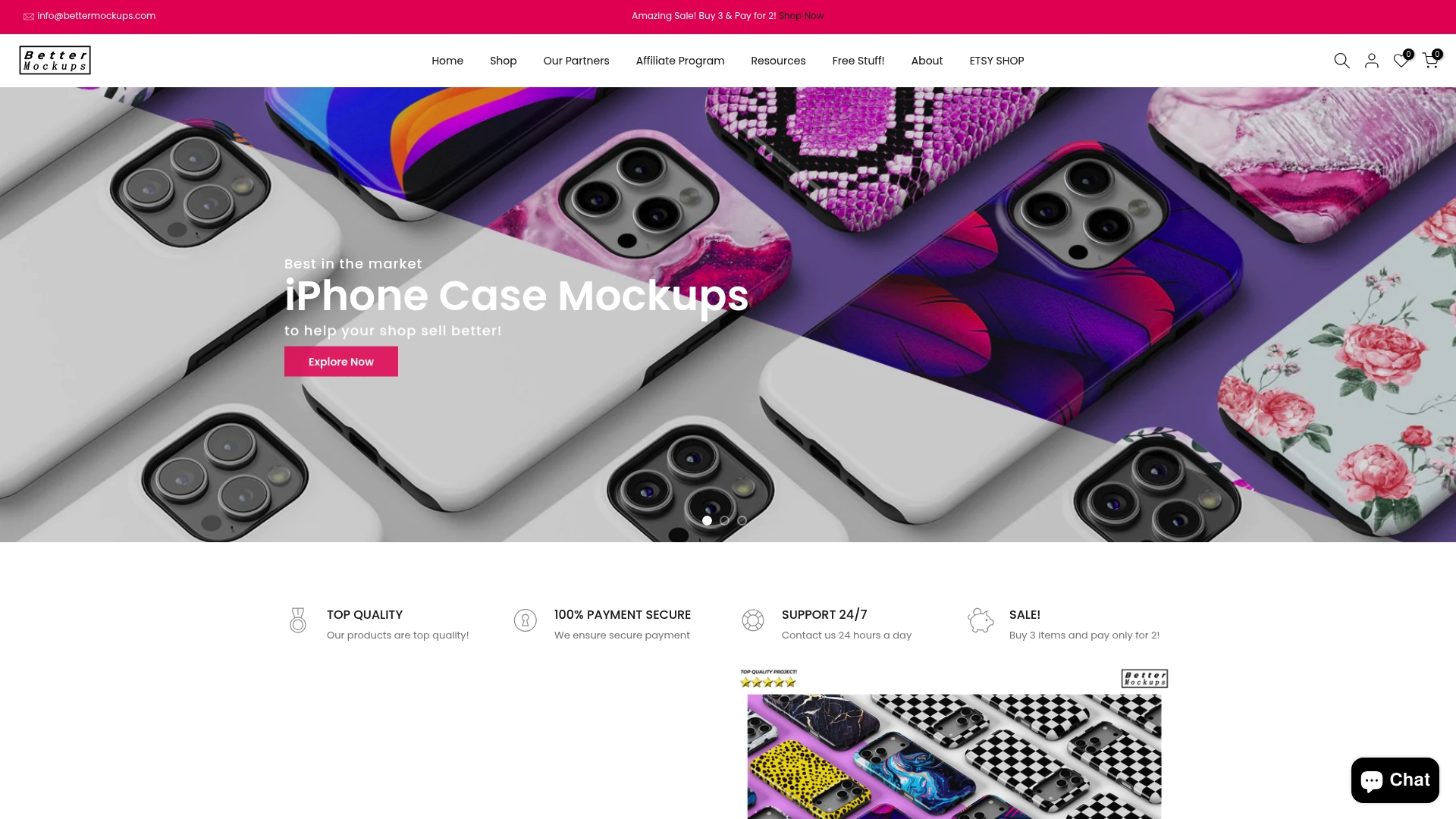
Dedicated customer support means technical roadblocks get resolved in hours instead of days, preventing missed launch deadlines or marketing campaign delays. When you encounter file compatibility issues or need guidance optimizing mockups for specific platforms, expert assistance keeps your workflow moving smoothly. Explore the new mockups collection to see latest template additions, browse video mockups for phone cases for engaging motion content, or dive into specialized iPhone case mockups optimized for Apple’s dominant ecosystem. Premium tools pay for themselves when time savings and conversion improvements outweigh subscription costs.
Frequently asked questions
Which free mobile cover mockup website is easiest for beginners?
Canva offers easy drag-and-drop mockup templates suitable for non-designers, featuring over 50 phone case options requiring zero Photoshop skills. The platform’s intuitive interface lets you customize colors, add logos, and export professional-looking mockups in under 10 minutes. This simplicity makes Canva ideal for entrepreneurs launching their first product lines without design experience.
Can free mockup sites integrate directly with e-commerce platforms?
Less than 20% of free mockup websites support direct integration with Shopify, Etsy, or Amazon, requiring manual file downloads and uploads for each product variant. This limitation forces repetitive workflow steps that consume significant time when managing large catalogs. Premium platforms more commonly offer API connections or plugin integrations that automate mockup insertion into product listings.
What are the major benefits of paid mobile cover mockups over free ones?
Paid mockup services provide animated and 3D visual options creating richer, more engaging product presentations that capture customer attention more effectively than static images. They include dedicated customer support reducing troubleshooting time and offer higher photorealistic quality enhancing brand professionalism. Explore video mockups for phone cases to see how motion content drives engagement rates 3x higher than traditional product photos on social media platforms.
How can I customize free PSD mockups without expensive software?
Photopea is a 100% browser-based PSD editor allowing free customization without paid software, opening Photoshop files directly in your web browser. The platform supports smart layer editing, background adjustments, and high-resolution exports matching desktop software capabilities. While the learning curve exceeds simpler tools like Canva, Photopea eliminates software costs for entrepreneurs needing advanced editing control over downloaded mockup files.


