

You've got the product designs ready. Your phone case mockups look accurate. But when it comes to running TikTok ads or posting content that actually converts, you're stuck staring at a blank screen wondering what's trending right now. That's where the TikTok Creative Center comes in, a free tool that shows you exactly what's working on the platform, from top-performing ads to trending hashtags and audio.
For print-on-demand sellers pushing phone cases on TikTok Shop, this tool isn't optional. It's the difference between guessing what might resonate and knowing what already does. You can study competitor ads, spot design trends before they peak, and build content strategies based on actual performance data rather than gut feelings. When you're pairing high-quality video mockups with data-backed creative decisions, your listings stop blending into the scroll.
This guide walks you through everything: how to access the TikTok Creative Center, what each feature does, and how to use it to find trends, analyze winning ads, and generate ideas that actually move product. Whether you're launching a new collection or trying to breathe life into stale listings, you'll leave with a clear system for turning TikTok's own data into your competitive edge.
What TikTok Creative Center is and who it helps
The TikTok Creative Center is a free analytics dashboard built directly into TikTok's business ecosystem. It shows you what's trending on the platform in real time, from the hashtags driving organic reach to the exact ads pulling conversions across industries. Think of it as the data layer underneath every viral post and high-performing campaign. You get access to trending songs, popular creators, keyword volume, and a library of top ads filtered by objective, region, and industry.
For sellers running product campaigns, this tool removes the guesswork. You can see which design aesthetics are getting traction, what copywriting hooks are working in ads, and which product categories are spiking in interest. The data updates constantly, so you're not chasing trends that already peaked three weeks ago. Everything is searchable, sortable, and exportable, which means you can build creative strategies on actual performance metrics instead of what worked for someone else six months ago.
The platform indexes millions of ads and organic posts, giving you insight into what TikTok's algorithm is currently prioritizing and what users are actually engaging with.
Core features that matter for POD sellers
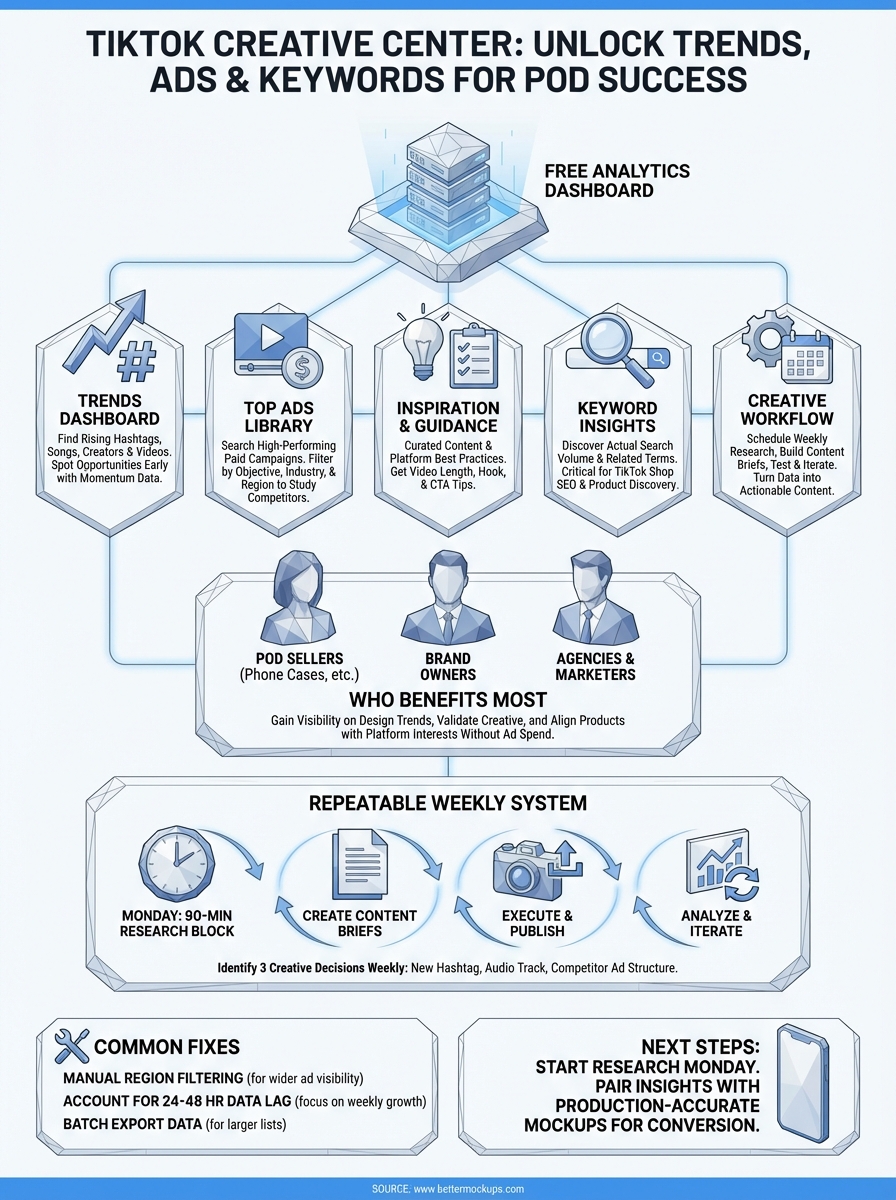
You'll use five main sections inside the TikTok Creative Center. The Trends tab shows rising hashtags, songs, and creators with momentum data so you can spot opportunities early. The Top Ads library lets you filter by country, objective, and industry to study competitors and see what creative formats are converting. The Inspiration section curates high-performing content based on your business category, giving you a starting point when you're stuck. The Keyword Insights tool displays search volume and trending terms, which is critical for TikTok Shop SEO and product discovery. Finally, the Creative Guidance feature offers platform-specific best practices for video length, hooks, and call-to-action placement.
Each feature connects to the others. You might start by finding a trending hashtag in the Trends tab, then jump to Top Ads to see how brands are using that hashtag in paid campaigns, and finish by pulling keyword data to validate search interest. The workflow isn't linear, but the data consistency across tabs makes it easy to cross-reference insights without switching tools or platforms.
Who benefits most from using it
This tool was built for advertisers, but POD sellers gain the most from it. If you're running TikTok Shop campaigns or organic content strategies to sell phone cases, watch bands, or AirPods cases, you need to know what design trends are peaking and which creative formats your competitors are investing in. The Creative Center gives you that visibility without requiring an active ad account or spending budget. You can use it purely for research, creative strategy, and content planning.
Brand owners managing multiple product lines will find the industry filters and trend forecasting especially useful. You can track multiple niches simultaneously, spot emerging trends before they saturate, and align your product releases with what the platform is already pushing. Creative agencies and marketing managers use it to brief designers and set campaign benchmarks, but individual sellers get the same access at no cost. The barrier isn't money or team size. It's knowing the tool exists and how to extract actionable insights from it without drowning in data you don't need.
How to access TikTok Creative Center
You don't need an active ad account or business verification to access the TikTok Creative Center. The platform is open to anyone with a web browser, which means you can start researching trends and competitor ads immediately without setting up campaigns or linking payment methods. This makes it one of the few free competitive intelligence tools available directly from a social platform without gated features or upgrade requirements.

The Creative Center works on desktop and mobile browsers, though the desktop experience offers better filtering options and a cleaner interface for analyzing multiple data points simultaneously.
Direct browser access
The fastest way to reach the tool is by going directly to the TikTok Creative Center URL. Open your browser and navigate to the official TikTok for Business site, then look for the Creative Center link in the main navigation or search for "Creative Center" in the site search. You'll land on the homepage dashboard showing trending hashtags, top ads, and keyword insights without requiring a login for basic browsing.
If you want to save searches, export data, or track specific trends over time, you'll need to log in with a TikTok account. Any standard TikTok account works. You don't need a business profile or advertiser status. Click the "Log In" button in the top right corner, authenticate with your existing credentials, and you'll unlock the ability to bookmark ads, save trend reports, and customize your dashboard view based on your target markets.
Through TikTok Ads Manager
If you already have a TikTok Ads Manager account, you can access the Creative Center from within the platform. Log into your Ads Manager dashboard, then click the "Inspiration" menu item in the left sidebar. This will open the Creative Center interface with your account region and industry preferences already applied, saving you time on initial filtering.
This route makes sense if you're actively running campaigns and want to move quickly between ad performance data and creative research. You can analyze which trends match your current campaign objectives, pull competitor examples, then jump back to your ad groups to implement changes without switching tabs or logging into separate tools. The workflow integration keeps your research and execution in one place, which matters when you're testing multiple creative angles simultaneously.
Quick tour of the main tabs and dashboards
When you first land on the TikTok Creative Center homepage, you'll see a horizontal navigation bar with five main tabs: Trends, Top Ads, Inspiration, Creative Guidance, and Keyword Insights. Each tab loads its own dashboard with filtering controls on the left sidebar and data visualizations in the main content area. The interface updates based on your selected region and date range, so you're always looking at current data for your target market. Start by setting your country filter to United States and your date range to the last 7 days to see the most relevant trends for immediate use.
Trends dashboard layout
The Trends tab divides into four sub-sections: Trending Hashtags, Trending Songs, Trending Creators, and Trending Videos. Each section displays performance metrics like view counts, engagement rates, and momentum scores that show whether a trend is rising, peaking, or declining. You can sort by total views, growth rate, or relevance to specific industries like Fashion & Accessories or Electronics. Click on any hashtag or song to see a detailed breakdown with related content examples and historical performance data. This is where you'll spend most of your research time when planning content calendars or deciding which trends to incorporate into your next product launch.
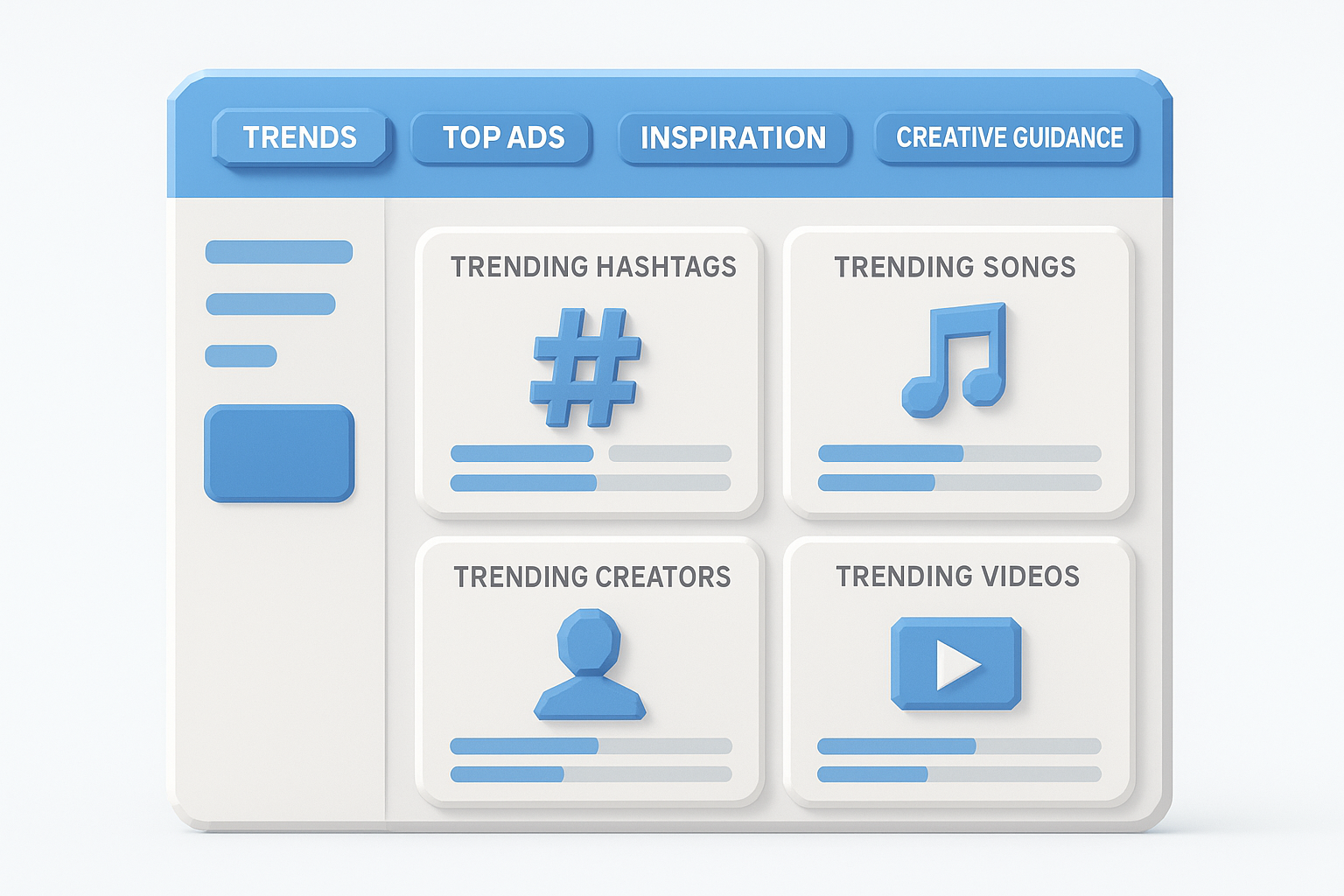
The momentum score tells you if a trend is accelerating or fading, which matters more than total view count when you're trying to catch a wave early.
Top Ads library interface
The Top Ads tab functions as a searchable database of high-performing paid campaigns across all TikTok advertisers. Use the left sidebar to filter by objective (Conversions, Traffic, App Installs), industry category, and ad format (Video, Spark Ads, Collection Ads). Each ad preview includes thumbnail playback, caption copy, call-to-action button text, and engagement metrics like click-through rate and conversion data when available. You can save ads to custom boards for later reference or download creative assets for competitive analysis. This tab answers the question of what actual brands are spending money on right now, not just what's organically viral.
Creative Guidance and Inspiration tabs
Creative Guidance provides platform-specific best practices and recommendations based on your campaign objective. You'll see suggested video lengths, optimal hook timing, caption length guidelines, and call-to-action placement tips pulled from TikTok's performance data. The Inspiration tab curates top-performing organic and paid content filtered by your business category, giving you a starting point when you need fresh creative angles. Both tabs work best when you've already identified a trend or competitor strategy and need tactical execution guidance rather than broad research insights.
Find hashtag and keyword trends that match buyers
The Trends tab in the TikTok Creative Center shows you which hashtags are getting millions of views, but raw view counts don't tell you which tags are bringing in buyers versus scrollers. You need to filter for purchase intent indicators like rising engagement on product review content, conversion-focused hashtags (think #tiktokmademebuyit variations), and tags that spike around product launches. Start by selecting your industry category in the left sidebar under Fashion & Accessories or Electronics, then sort trending hashtags by momentum score rather than total views to catch trends while they're still accessible.
Filter by purchase intent, not just volume
When you open the Trending Hashtags section, you'll see default sorting by total views across all content types. That data includes dance challenges, memes, and viral pranks that have nothing to do with driving product sales. Switch your filter to show hashtags specifically used in commerce-related content by checking the box for "Shopping & Product Reviews" under content categories. This narrows your results to tags that appear in videos where creators are showcasing products, not just entertaining.
Look for hashtags with consistent daily growth rather than sudden spikes. A tag that jumped 500% yesterday because of one viral video won't help you next week. You want tags showing 15-30% weekly growth with steady engagement rates, which signals sustained interest from buyers actively searching for products. The TikTok Creative Center displays this data in the momentum chart when you click into any hashtag's detail view.
Track keyword search volume for product discovery
The Keyword Insights tab shows you actual search terms users type into TikTok's search bar, which matters more for TikTok Shop sellers than hashtag impressions. Navigate to this section and type in your product category like "phone cases" or "airpods case." You'll see monthly search volume, related keywords, and trend direction for each term. Filter results by United States and set your date range to the last 30 days for current data.
Keywords with 100K-500K monthly searches typically offer the best balance of demand and competition for POD sellers launching new product lines.
Pay attention to long-tail keyword variations that include design descriptors like "clear magsafe case" or "tough case for iPhone 16 Pro." These terms show higher purchase intent because searchers already know what they want. Export the keyword list as a CSV file, then cross-reference the top 20 terms with your current product titles and TikTok Shop listings to identify gaps in your coverage.
Spot audio and creator trends you can actually use
Trending sounds and creators drive product discovery on TikTok, but most sellers waste time chasing viral audio that has nothing to do with selling physical products. The Trending Songs and Trending Creators sections inside the TikTok Creative Center filter for commercial relevance, showing you which tracks are appearing in product videos and which creators are gaining followers while posting shoppable content. You want audio that soundtracks unboxings, product comparisons, and aesthetic product showcases, not dance trends that peaked two days ago.
How to identify trending audio that converts
Open the Trending Songs tab and set your industry filter to Shopping & Product Reviews to narrow results to tracks being used in commerce content. You'll see a list of songs ranked by total video posts, engagement rate, and momentum score. Click into any song to view sample videos using that track, which lets you verify the audio is actually appearing in product-focused content rather than random viral posts. Look for songs with 50K-200K video uses and a rising momentum indicator, which signals growing adoption without full saturation.
Pay attention to the video examples displayed under each trending song. If you see multiple creators using the same track to showcase phone accessories, tech products, or fashion items, that audio has proven conversion relevance in your category. Download a few examples to study the pacing, hook timing, and product reveal structure. You can replicate the content format while swapping in your own products and mockups. The audio itself matters less than the creative pattern it enables.
Audio trends with sustained two-week growth in product categories typically have another 7-10 days of effective reach before oversaturation kills engagement rates.
Track creators in your product niche
Switch to the Trending Creators tab and filter by content category matching your product line. You'll see rising accounts ranked by follower growth rate, average video views, and engagement percentage. Focus on creators in the 10K-100K follower range showing consistent weekly growth above 5%, as these accounts are building momentum without the sponsorship saturation that comes with larger followings. Click any creator profile to see their recent posts, trending videos, and the hashtags they use most frequently.
Study their content structure and presentation style rather than trying to copy specific videos. Notice how they introduce products in the first three seconds, whether they use voiceover or text overlays, and how they frame the call to action. Export a list of the top 20 creators in your niche, then monitor their posting frequency and content themes weekly to spot emerging formats before your competitors notice them.
Research competitors with Top Ads and analytics
The Top Ads library inside the TikTok Creative Center gives you direct access to campaigns your competitors are actively spending money on right now. You can filter by industry, region, objective, and date range to see exactly what creative formats are driving conversions for phone case brands, electronics sellers, and fashion accessory shops. This isn't guesswork based on organic posts. These are validated ad creatives that passed budget approval and survived performance testing, which means they're worth studying.
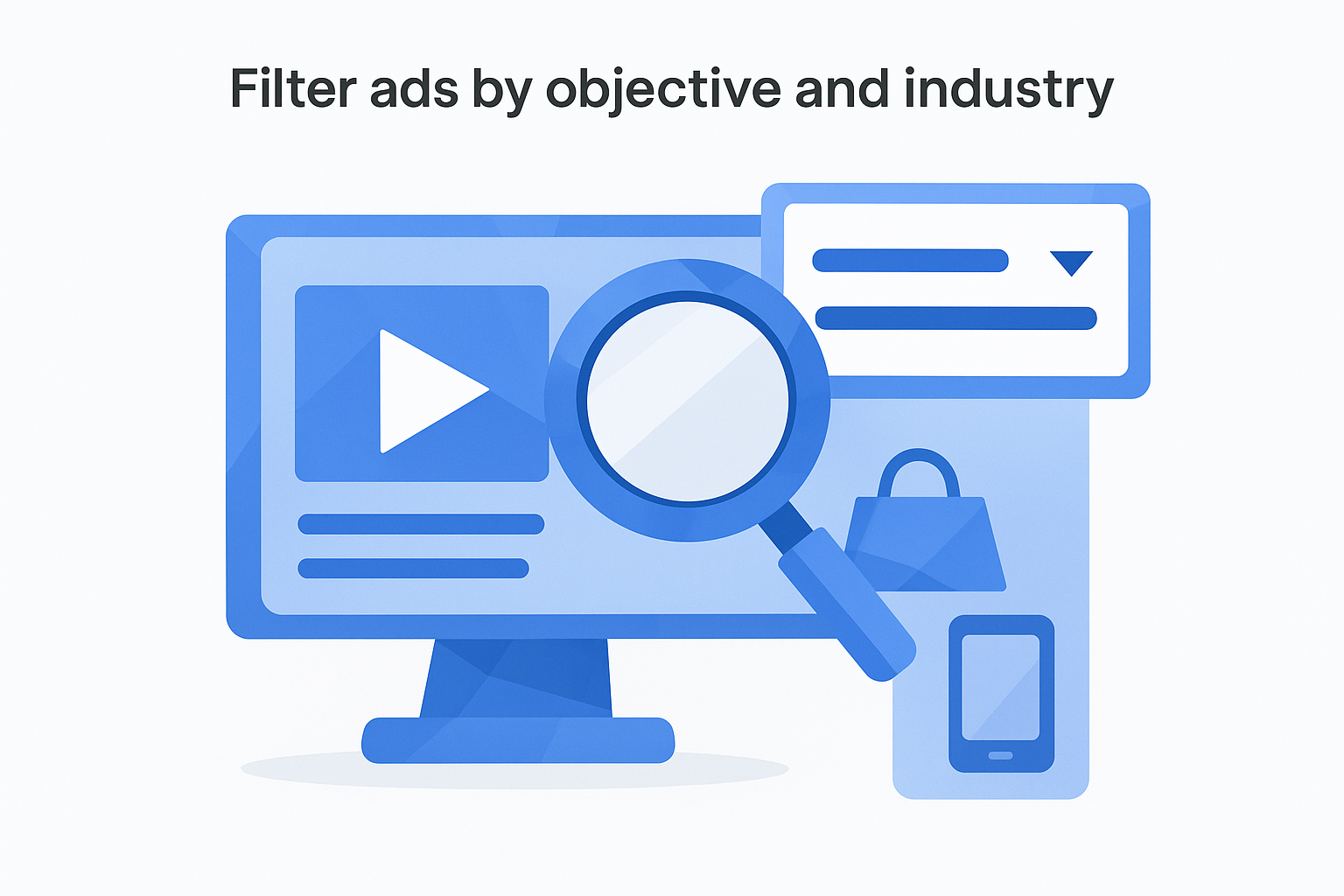
Filter ads by objective and industry
Start by opening the Top Ads tab and setting your region filter to United States to see campaigns targeting your exact market. Under the Objective dropdown, select "Conversions" to show only ads designed to drive direct purchases rather than brand awareness or traffic. Then narrow your industry filter to "Fashion & Accessories" or "Electronics" depending on your product line. You'll see a grid of video thumbnails with performance indicators like engagement rate and click-through percentage displayed on hover.
Click any ad to open the detail view showing the full video, caption text, call-to-action button, and landing page link. Study the first three seconds to identify the hook pattern. Most converting product ads open with a visual problem-solution sequence or an immediate product reveal with text overlay stating the benefit. Export screenshots of the top 10 ads in your category, then create a spreadsheet tracking hook type, video length, CTA placement, and product presentation style. This gives you a pattern library to reference when briefing your own creative.
Ads that survive in the Top Ads library for more than two weeks typically indicate proven creative structures worth replicating with your own product mockups.
Extract winning creative patterns
Look for repetition across multiple ads in your filtered results. When you see three or more competitors using similar opening hooks like "POV: you finally found the perfect case" or "Wait until you see this," that structure has tested well enough for multiple brands to invest in it. Note the background music choices, text animation speed, and product reveal timing. These tactical details matter more than the specific product being shown.
Pay attention to technical execution quality in top-performing ads. Check whether competitors are using static product images, basic mockups, or high-quality video mockups that show the case from multiple angles with realistic lighting. The production value gap between your ads and theirs directly impacts your conversion rates. If every top ad in your category features smooth product rotations and lifestyle contexts, your static PNG mockups will underperform regardless of your targeting or budget.
Download the top five ads performing in your exact product category, then watch each one three times. First viewing: note the overall structure. Second viewing: transcribe the exact copy and CTA language. Third viewing: track the timing of each visual element and transition point. Build a template document showing the proven ad structure you'll adapt for your next product launch.
Turn insights into a repeatable creative workflow
Collecting data from the TikTok Creative Center doesn't improve your sales until you convert those insights into actual content and campaigns. You need a system that turns trend research into published listings, tested ads, and product launches without requiring daily deep dives into analytics. The workflow below eliminates decision paralysis by giving you specific actions to take each week based on what you discover in the platform, with built-in checkpoints to validate whether your creative decisions are working before you scale them.
Schedule weekly research blocks
Set a recurring Monday morning 90-minute research session to review trends, ads, and keyword data from the previous week. Start by checking the Trending Hashtags tab filtered to your product category, then move to Keyword Insights to spot search volume shifts, and finish with Top Ads to see new competitor creative patterns. Document your findings in a single spreadsheet with four columns: Trend/Keyword, Current Momentum, Planned Use, and Test Date. This creates accountability and prevents you from chasing trends you'll never actually implement.
Your research output should generate three specific creative decisions each week: one new hashtag to test in organic content, one audio track to use in product videos, and one competitor ad structure to adapt. If you can't identify three actionable items, your filters are too broad or you're overthinking the data. The goal is speed and iteration, not perfect analysis.
Regular small tests based on fresh trend data outperform occasional large campaigns built on outdated research that felt thorough when you started planning it three weeks ago.
Build a content template system
Create a master content brief template that plugs TikTok Creative Center insights directly into your production workflow. Your template should include fields for Trend Source, Hook Type, Audio Track, Product Featured, CTA Language, and Expected Posting Date. When you spot a rising trend on Monday, you fill out the template immediately and hand it to your designer or queue it for your next filming session. This removes the friction between research and execution that kills most creative strategies.
Here's a functional template structure you can copy:
CONTENT BRIEF #[Number]
Trend: [Hashtag/Audio/Creator Pattern]
Source: TikTok Creative Center > [Tab Name]
Momentum: [Rising/Peaking/Stable]
Hook: [First 3 seconds script]
Product: [Specific SKU or collection]
Audio: [Track name or link]
CTA: [Exact copy and button text]
Test Budget: [$Amount if paid ad]
Success Metric: [Views/CTR/Conversions target]
Posting Date: [Specific date]
Fill out three of these briefs every Monday using your research findings, then execute all three by Friday. Track performance over the weekend, then use the results to inform next Monday's research focus.
Common issues, limits, and quick fixes
You'll run into platform limitations when using the TikTok Creative Center that aren't documented anywhere in the official help docs. Most of these issues stem from regional data availability, refresh delays, and export restrictions that affect research workflows. The fixes below solve the most frequent problems POD sellers encounter when pulling trend data, analyzing competitor ads, and building content strategies from the platform.
Data only shows paid advertisers in some regions
The Top Ads library displays different content depending on your selected region, and some markets have limited ad inventory visible even when you know competitors are running campaigns there. This happens because TikTok's ad transparency policies vary by country, and certain regions restrict what creative data can be publicly accessed. When you filter to United States, you'll see thousands of ads, but switching to Canada or UK might show a fraction of that volume even though those markets have active advertising.
Your workaround involves manually changing your region filter to United States even when targeting other markets, then using the industry and product category filters to find ads that would work across English-speaking regions. Most creative patterns and hooks translate directly between US, UK, Canadian, and Australian markets without modification. Download the ads you need while your filter is set to United States, then adapt them for your actual target region during production.
Regional data gaps in the TikTok Creative Center don't reflect actual ad volume in those markets, just what TikTok's transparency settings allow you to view publicly.
Trend data lags by 24-48 hours
The Trends tab doesn't update in real time. You're looking at data that's typically 24 to 48 hours old, which means a hashtag showing rising momentum today might have already peaked yesterday. This delay matters most when you're trying to catch emerging trends before saturation. Check the last updated timestamp at the top of each trend dashboard to know exactly how current your data is before making creative decisions based on it.
Compensate for the lag by focusing on trends showing consistent week-over-week growth rather than single-day spikes. Pull trend data on Monday mornings to see what grew over the weekend, then produce content by Wednesday to publish Thursday or Friday. This schedule accounts for the data delay while still capturing trends before they expire.
Export and download restrictions
The platform limits you to exporting 100 rows at a time from keyword lists and trending hashtag tables, which frustrates sellers tracking multiple product categories simultaneously. You can't bulk download ad creatives directly from the Top Ads library either. Instead, you need to save ads to custom boards first, then screen record or screenshot each one individually for your reference library.
Break large export needs into multiple filtered queries. Export the top 100 keywords for "phone cases," then run a separate export for "magsafe cases," and another for "iPhone 16 cases." Combine the CSV files manually afterward using a spreadsheet tool.
Next steps
You now have a complete system for using the TikTok Creative Center to find trends, analyze competitor ads, and build content strategies that actually convert. Start by blocking 90 minutes this Monday to run your first research session using the filters and workflows outlined above. Pull the top three trending hashtags in your product category, identify one competitor ad structure worth adapting, and export your keyword list before the week starts.
The insights you gather only matter when paired with mockups that match what your customers actually receive. Generic templates undermine every smart creative decision you make with platform data. When you're ready to publish listings that survive scrutiny and convert browsers into buyers, grab production-accurate phone case mockups built to manufacturer specifications. Your trends research tells you what to create. Your mockups determine whether people trust it enough to buy.
Set your research calendar now. Your competitors are already using these tools.


