

If you're building product listings, running ads, or designing marketing materials that reference Google in any way, you need to follow the google brand guidelines exactly. Google enforces strict rules around how its logos, colors, product names, and trademarks can appear, and getting it wrong can mean anything from a takedown notice to losing ad account access entirely.
This matters more than most sellers realize. If you're a phone case seller creating mockups for Google Pixel devices, or you're featuring a "Find us on Google" badge in your storefront, you're already in brand compliance territory. At Bettermockups, we build production-accurate mockup templates for POD sellers, and part of producing professional, trustworthy listings means knowing exactly what you can and can't do with third-party brand assets.
This guide breaks down everything you need to know: where to find Google's official brand resources, what the actual rules are for logo usage and color reproduction, how to handle Google product names in your own content, and what mistakes to avoid. Whether you're referencing Google products in your marketing or building assets that sit alongside their branding, this is the reference you'll want bookmarked.
What counts as a Google brand element
Google's brand elements cover more ground than most people expect. The google brand guidelines don't just govern the colorful "G" logo you see everywhere; they extend to a wide range of visual, typographic, and naming assets that Google controls tightly. Before you design anything that references Google, you need to know exactly what falls within scope.
Logos and visual marks
The most recognizable assets are Google's logos, and they come in several forms. You have the full wordmark (the colored "Google" text), the Google icon (the standalone "G"), the "Powered by Google" lockup, and product-specific logos like Google Maps, Google Play, and Google Search. Each of these has its own usage rules, and you can't swap between them based on what looks better in your layout.
Using any of these marks without following the specific rules for that particular mark is considered trademark infringement, regardless of intent.
Google also controls several visual elements tied to its brand identity, including the four-color palette used across its primary logos and specific badge designs for things like "Available on Google Play." These badge lockups are not interchangeable, and resizing or recoloring them outside of Google's permitted parameters is a violation.
Product names and trademarks
Product names are brand elements too, and this is where many sellers and developers get tripped up. Names like Gmail, Google Drive, Google Photos, YouTube, Android, and Chrome are all registered trademarks. You cannot alter them, abbreviate them, or use them as generic descriptors.
For example, writing "google drive storage" in lowercase as a generic description in your product copy is not permitted. You also can't use "Android-compatible" phrasing in a way that implies official endorsement or a business relationship with Google that doesn't exist. The practical rule is straightforward: use the name exactly as Google spells it, capitalize it correctly, and treat it as an adjective rather than a noun where possible. "Android device" is correct; "an Android" used as a standalone noun is not.
Why Google brand guidelines matter
The google brand guidelines exist to protect Google's intellectual property, but they create real consequences for your business. If you misuse a Google trademark in your marketing, listings, or product imagery, you expose yourself to takedown requests, account suspension, or legal action. Google actively enforces these rules, and the scale of their legal resources means enforcement is consistent and swift.
The trust cost of getting it wrong
Incorrect brand usage does more than risk a legal notice. When your listing uses a Google logo at the wrong size, wrong color, or wrong context, it signals to customers that you cut corners. Buyers notice details, especially when spending money on products that reference premium devices.
A misrepresented badge or an improperly formatted product name raises doubts about the product itself. Your mockups and listings represent your brand's credibility, and sloppy brand compliance undermines the trust you've worked to build with every customer interaction.
The most common mistake sellers make is treating Google's product names as generic descriptors rather than protected trademarks.
Platform penalties for non-compliance
Etsy, Amazon, and Google's own advertising platforms run automated systems that flag trademark violations. If your listing copy uses "Android" in a way that implies endorsement or affiliation, your listing can disappear without warning.
For sellers managing hundreds of active listings, a single compliance gap can trigger a broader account review, putting far more than one listing at risk.
Where to find the official rules
Google publishes its brand documentation across several official pages, and knowing which one to use depends on what you're working with. The main entry point for most sellers and developers is Google's Brand Resource Center, where you can find logo files, usage guidelines, and downloadable assets in one place.
The Brand Resource Center
The Brand Resource Center is Google's primary hub for trademark and logo guidance. It covers the Google wordmark, the "G" icon, and specific lockup formats like "Powered by Google." You'll find approved color values, spacing requirements, and clear examples of what constitutes misuse. The site also explains the difference between permitted use and prohibited use, which is the first thing you need to understand before designing anything that references Google.
Bookmark this page before starting any project that includes Google's name or visual assets, since the rules update periodically and working from an outdated version is not an acceptable defense.
Product-specific documentation
For individual products, Google maintains separate brand pages tied to each platform. Android, Google Play, Google Maps, and YouTube all have their own dedicated guidelines that override general rules in some cases. You can find the Android brand guidelines at source.android.com/docs/setup/contribute/brand, and the YouTube brand guidelines at YouTube's brand resources page. Checking the correct product page matters because the google brand guidelines for each product differ in specific ways that the general center does not cover.
How to use Google logos the right way
The google brand guidelines specify exactly how logos must appear, and the rules are non-negotiable. Every time you use a Google logo, you're working with protected intellectual property that carries defined spatial, sizing, and color requirements. Mishandling any one of these details is enough to trigger a violation, even if the rest of your design looks clean.
Clear space and minimum size
Every Google logo requires a defined clear space around it, which means no text, images, or other graphic elements can appear within that buffer zone. Google's Brand Resource Center documents the exact measurements for each mark individually. Google also sets minimum size requirements to ensure logos remain legible and are never scaled down to the point where the brand mark distorts or becomes unrecognizable.

Using a Google logo smaller than the specified minimum is a violation, even if it looks fine on your screen at full resolution.
What you cannot do with Google logos
The list of prohibited uses is specific. You cannot recolor Google's logos, add drop shadows, apply transparency effects, stretch or compress the mark, or combine it with other logos in a composite lockup. You also cannot animate a Google logo without explicit written permission, which matters directly if you produce video mockups or motion graphics for your product listings. Reproducing the logo on physical merchandise is also off-limits unless Google has granted a formal license for that specific use.
Colors, typography, and product names
Beyond logos, the google brand guidelines govern how Google's specific colors and typefaces appear in third-party materials. These rules exist because color and typography are as legally protected as the wordmark itself, and reproducing them incorrectly signals misuse even when the logo is correct.
Google's color palette
Google's primary brand colors are specific hex values: Blue (#4285F4), Red (#EA4335), Yellow (#FBBC05), and Green (#34A853). You cannot adjust these values for aesthetic reasons or to match your own palette. If a design context requires only one color, the approved single-color version is black or white, never a tinted or custom variation of the primary colors.
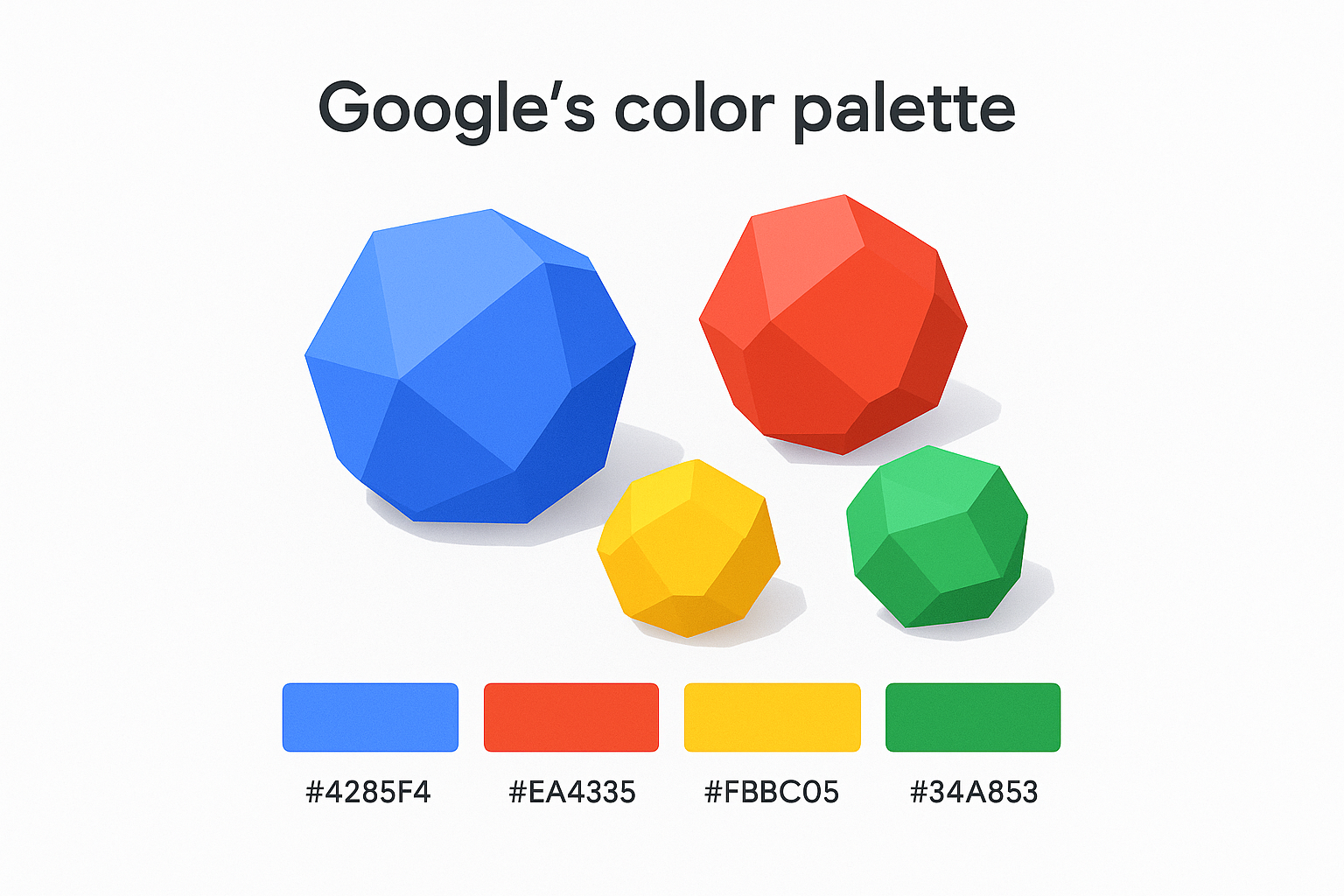
Pulling colors from a screenshot instead of the official source is one of the most common reasons seller assets fail compliance review.
Typography and typeface rules
Neither Google Sans nor Product Sans is publicly licensed for third-party use. You cannot apply these typefaces in your own materials, and doing so implies official Google affiliation even if unintentional. When building assets that reference Google products, keep these boundaries clear:
- Use your own licensed typefaces for all surrounding text and labels
- Do not replicate Google's typographic style in ways that imply official affiliation
- Ensure your font choices don't create visual confusion with Google's own product interfaces
How to handle product names correctly
Product names like Android, Google Maps, and Gmail must always appear capitalized and spelled exactly as Google has registered them. You should never pluralize, abbreviate, or use them as verbs. Treat each name as an adjective modifying a noun, for example "Android device" rather than standalone "Android."

Quick recap and next step
The google brand guidelines cover every element you might encounter when building listings or marketing assets: logos, colors, product names, typefaces, and badge lockups. Each category carries specific rules with real enforcement consequences, and none of them make exceptions for small sellers or creative preferences. You now have a clear map of where to find the official documentation and what the rules actually require.
Applying these rules consistently protects your listings from takedown requests and builds customer trust through accurate, professional presentation. If you're creating phone case listings that reference specific devices, that accuracy has to extend to the mockup itself. A listing that misrepresents the product is a liability before the sale even happens. BetterMockups provides production-accurate phone case mockup templates built from real manufactured cases, so every listing you publish reflects the product a customer actually receives, which is the standard your brand should hold itself to at every level.


