

Choosing between photorealistic and standard mockups might seem like a minor detail, but for tech accessory sellers, this decision directly impacts conversion rates and buyer confidence. Research shows that photorealistic renders outperform AI mockups by 2.8% in conversions for premium tech products. When customers can’t touch or hold your phone case or AirPods skin before buying, visual authenticity becomes your strongest sales tool. This guide explains why photorealistic mockups deliver measurable results for tech accessory brands and how to leverage them effectively in your online store.
Table of Contents
- Key takeaways
- Understanding photorealistic mockups and their impact
- Cost and workflow advantages of photorealistic digital twins
- Comparing mockup types: which suits your tech accessory brand?
- How to apply photorealistic mockups effectively for your online store
- Explore photorealistic mockups to grow your tech accessory sales
- Why use photorealistic mockups: frequently asked questions
Key Takeaways
| Point | Details |
|---|---|
| Photorealism boosts conversions | Photorealistic renders outperform AI mockups by about 2.8 percent for premium tech products, increasing buyer confidence and purchase likelihood. |
| Authenticity builds trust | Realistic textures, lighting, and material details reduce the gap between online visuals and the physical product. |
| Digital twins cut costs | Digital twins eliminate recurring costs of physical samples and professional photography while accelerating the production workflow. |
| Scalable design variations | A single high quality digital twin enables unlimited color, design, or background variations without extra photo shoots. |
Understanding photorealistic mockups and their impact
Photorealistic mockups are high-detail digital representations that accurately replicate how your tech accessories look in real-world conditions. They capture texture, lighting, shadows, and material properties with precision that makes products appear tangible on screen.
Unlike AI-generated mockups that often produce generic or slightly distorted results, photorealistic mockups maintain exact proportions and authentic material representation. Standard flat mockups show your design but lack depth and context. Photorealistic versions place your phone case on an actual device with proper lighting that mimics studio photography.
Material authenticity matters enormously for buyer confidence. When customers see realistic reflections on a glossy case or accurate texture on a leather AirPods cover, they form accurate expectations about the physical product. This reduces cognitive dissonance between what they see online and what arrives at their door.
For premium tech accessories priced above $50, this authenticity becomes critical. Buyers investing in higher-end products demand visual proof of quality before purchase. Photorealistic renders excel particularly for premium electronics priced $299+ due to these authenticity needs.
Key features that make photorealistic mockups effective include:
- Accurate shadow rendering that grounds products in realistic environments
- Precise material properties showing gloss, matte, or textured finishes authentically
- Correct device proportions ensuring cases and accessories fit visually as expected
- Natural lighting conditions that mirror professional product photography
- Environmental context placing products in relatable usage scenarios
Exploring different types of mockup templates helps you understand where photorealistic options fit in your visual content strategy.
Pro Tip: Test photorealistic mockups against your current product images by running A/B tests on your highest-traffic product pages. Track conversion rate, time on page, and cart abandonment to measure actual impact.
Cost and workflow advantages of photorealistic digital twins
Photorealistic digital twins are ultra-realistic virtual replicas of your products that serve as reusable assets throughout your marketing lifecycle. They eliminate the recurring costs of physical samples and professional photography while accelerating your entire production workflow.

Traditional product photography requires physical prototypes, studio rental, professional photographers, and post-production editing. Each new design variation or color option demands repeating this expensive cycle. Digital twins flip this model entirely.
Create one high-quality digital twin of your phone case, and you can generate unlimited variations by simply swapping designs, colors, or backgrounds. No additional photoshoots required. This scalability becomes transformative when you’re testing multiple designs or running seasonal campaigns.
Major brands have proven these benefits at scale. Unilever reduced costs 50% and doubled workflow speed using photorealistic digital twins across their product lines. While Unilever operates at enterprise scale, the same principles apply to tech accessory sellers working with tighter budgets.
Faster workflows translate directly to competitive advantage. Launch new designs weeks ahead of competitors still waiting for physical samples and photoshoots. Respond to trending designs or viral moments while they’re still relevant. Test market response to new concepts before committing to inventory.
Best practices for implementing digital twins in your tech accessory workflow:
- Invest upfront in high-quality base models for your core product categories
- Establish consistent lighting and environmental setups you can reuse across products
- Create template workflows that streamline design application to your digital twins
- Build a library of background environments matching your brand aesthetic
- Document your process so team members can replicate quality consistently
“Digital twins aren’t just cost savers. They’re strategic assets that compress your entire go-to-market timeline while improving visual quality.”
Understanding why use product mockups in general provides broader context for how digital twins fit into modern e-commerce strategies.
Comparing mockup types: which suits your tech accessory brand?
Choosing the right mockup style depends on your product pricing, target audience expectations, and brand positioning. Each mockup type serves different strategic purposes.
| Mockup Type | Realism Level | Production Time | Cost | Best For | Conversion Impact |
|---|---|---|---|---|---|
| Photorealistic | Very High | Medium (3-5 hours) | Medium-High | Premium tech accessories $50+ | Highest (+2.8% vs AI) |
| AI-Generated | Medium | Fast (minutes) | Low | Budget products, rapid testing | Moderate |
| Flat/2D | Low | Very Fast (minutes) | Very Low | Print-on-demand, basic listings | Lower baseline |
| Lifestyle Photography | Highest | Slow (days) | Highest | Luxury tech, brand storytelling | Highest for premium |
Photorealistic mockups occupy the sweet spot for most tech accessory sellers. They deliver near-photography quality without the time and expense of actual photoshoots. This makes them ideal for products priced between $30 and $200 where buyers expect quality but brands need scalable production.
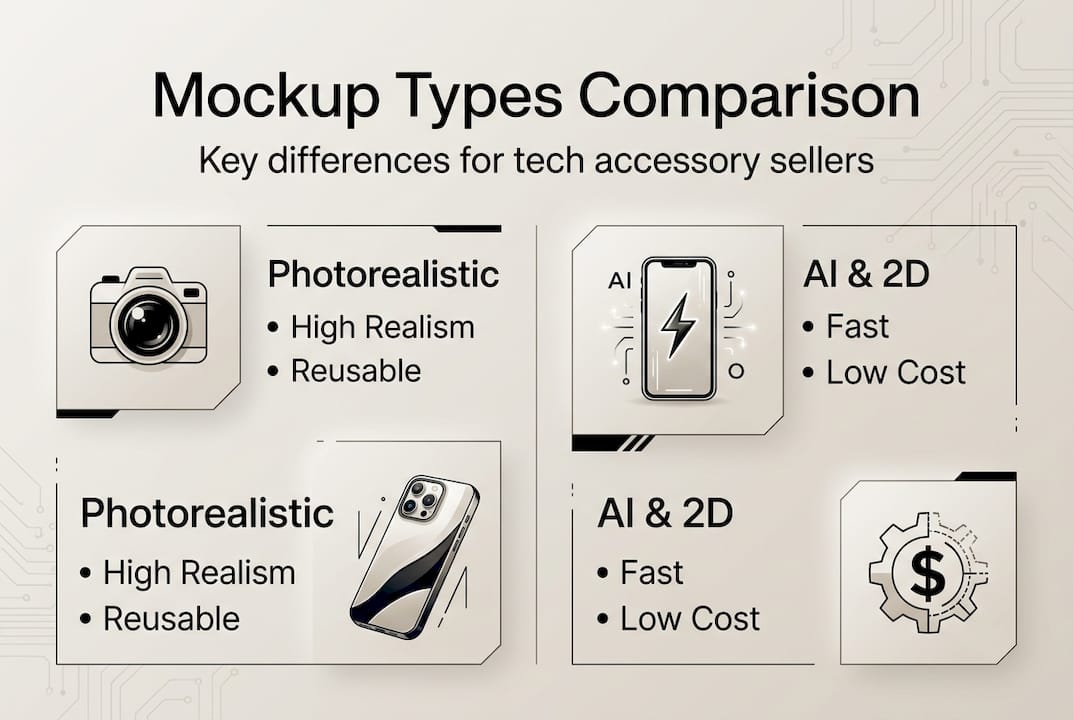
AI-generated mockups work well for rapid market testing or lower-priced products where speed matters more than perfection. If you’re validating design concepts before full production, AI mockups let you gauge interest quickly. However, their slight distortions and generic feel undermine premium positioning.
Flat 2D mockups serve basic functional needs. They show your design clearly but lack the environmental context and depth that drive emotional connection. Use them for internal reviews or wholesale catalogs, not consumer-facing product pages.
Lifestyle photography with real products remains unbeatable for luxury positioning and brand storytelling. But it’s impractical for sellers managing dozens or hundreds of SKUs with frequent design updates.
Brand positioning considerations:
- Premium brands ($100+ products) benefit most from photorealistic or lifestyle approaches
- Mid-market sellers ($30-100) see optimal ROI with photorealistic mockups
- Budget brands can leverage AI mockups effectively if design clarity matters more than material authenticity
- Dropshippers need scalable solutions favoring photorealistic templates over custom photography
Pro Tip: Match your mockup investment to your product’s price point and margin. Spending $50 on custom photorealistic mockups makes sense for a $150 phone case with 60% margins. For a $15 product, AI-generated or template-based mockups deliver better economics.
Explore various mockup templates for tech sellers to understand which formats align with your specific product categories and business model.
How to apply photorealistic mockups effectively for your online store
Creating impactful photorealistic mockups requires strategic planning beyond just technical execution. Follow this systematic approach to maximize their effectiveness:
-
Define your visual brand standards first. Establish consistent lighting conditions, background styles, and product angles that reinforce your brand identity. This consistency helps customers recognize your products across platforms and builds visual trust.
-
Source or create high-quality base mockups. Invest in professional-grade templates that accurately represent your product categories. Poor base models undermine even the best designs. Verify that device proportions, case fitment, and material textures match your actual products.
-
Develop a systematic design application workflow. Create templates and presets that let you apply new designs quickly while maintaining quality. Document layer structures, smart object usage, and export settings so your entire team can replicate results.
-
Test multiple presentation contexts. Show your products in various environments: clean studio backgrounds for product pages, lifestyle settings for social media, close-up detail shots for material quality. Different contexts serve different stages of the buyer journey.
-
Implement A/B testing protocols. Compare photorealistic mockups against your current images on key product pages. Track metrics like conversion rate, average order value, and return rate. Let data guide your rollout strategy rather than assumptions.
-
Optimize for platform-specific requirements. Amazon demands different image specifications than Instagram or your Shopify store. Prepare versions optimized for each channel’s technical requirements and user expectations.
-
Update mockups with product iterations. When you improve your physical products, update your mockups to match. Outdated mockups that don’t reflect current product quality create negative surprises and increase returns.
Workflow tips for maintaining consistent quality:
- Create naming conventions that track mockup versions, dates, and design variations
- Build approval checkpoints ensuring mockups meet brand standards before publication
- Maintain a mockup library organized by product category, background type, and usage context
- Schedule regular audits comparing mockups to physical products for accuracy
Matching mockups to audience expectations matters enormously. Tech-savvy customers buying phone cases for flagship devices expect polished, detailed imagery. They’ll notice if shadows look wrong or materials appear fake. Budget-conscious buyers care more about seeing the design clearly than perfect lighting.
Review comprehensive guidance on mockup design checklist tech gear to ensure you’re covering all critical quality factors. For deeper implementation guidance, explore step-by-step mockup design strategies proven to increase conversions.
Pro Tip: Create seasonal mockup variations showing your products in holiday, summer, or back-to-school contexts. These themed versions increase relevance during peak shopping periods and give you fresh content for email campaigns and social media without designing entirely new products.
Explore photorealistic mockups to grow your tech accessory sales
Ready to elevate your product presentations with professional-quality photorealistic mockups? Bettermockups specializes in high-quality templates designed specifically for tech accessory sellers like you.
Our collection includes photorealistic mockups for phone cases, AirPods covers, and other electronic accessories that capture material authenticity and realistic lighting. Each template is crafted to help your products stand out in crowded marketplaces.
Explore our video mockups for phone cases to add dynamic product presentations that increase engagement on social media and product pages. Video mockups show your designs from multiple angles, giving customers a more complete view than static images alone.
Browse our new mockups collection regularly updated with fresh templates matching current design trends. Or explore all mockups in the shop to find exactly what fits your brand and product line.
Why use photorealistic mockups: frequently asked questions
What makes photorealistic mockups better than standard ones?
Photorealistic mockups capture authentic material properties, accurate lighting, and realistic shadows that standard flat mockups miss entirely. This authenticity helps customers form accurate expectations about your physical products, reducing the gap between digital presentation and delivered reality. The result is higher buyer confidence and measurably better conversion rates, especially for premium tech accessories.
How do photorealistic mockups influence buyer trust and conversions?
Photorealistic mockups build trust by showing products as they actually appear in real-world conditions. When customers see realistic reflections, accurate textures, and proper device proportions, they feel more confident about purchase decisions. Research demonstrates photorealistic renders improve conversions by 2.8% compared to AI-generated alternatives for premium tech products. This improvement compounds across your entire product catalog.
Are photorealistic mockups cost-effective for small tech accessory businesses?
Absolutely. Photorealistic mockups eliminate recurring costs of physical prototypes and professional photography while enabling unlimited design variations from a single base template. Small businesses benefit most because the cost per product image drops dramatically as you scale across multiple designs. Initial investment in quality templates pays back quickly through reduced production expenses and faster time to market.
Can photorealistic mockups be used for other product categories beyond tech?
Yes, photorealistic mockup principles apply across any product category where visual authenticity drives purchase decisions. Apparel, home goods, beauty products, and accessories all benefit from realistic material representation. The techniques and workflows you develop for tech accessories transfer readily to other product lines as you expand your business.
What are the latest trends in photorealistic mockups for e-commerce?
Current trends emphasize environmental storytelling with mockups placed in lifestyle contexts rather than isolated studio backgrounds. Animated mockups showing products rotating or being used add engagement beyond static images. AI-assisted tools are improving mockup creation speed while maintaining photorealistic quality. Stay current with evolving best practices by reviewing mockup trends 2026 for e-commerce applications.


